Jump to your step
 1
Finish Mami Knows Best and listen to Lorena’s call · Lucia
 2
Read Lucia’s text and check the task card · Lucia
 3
Make sure BuckMe checking holds $5,000
 4
Open BuckMe and press Pay Someone
 5
Pick Lorena and press Buck ’Em
 6
Send More Money to Lorena: repeat it for the second $5,000
 7
Take Lorena’s call about the bank · Lucia
Send Money to Lorena: quick facts
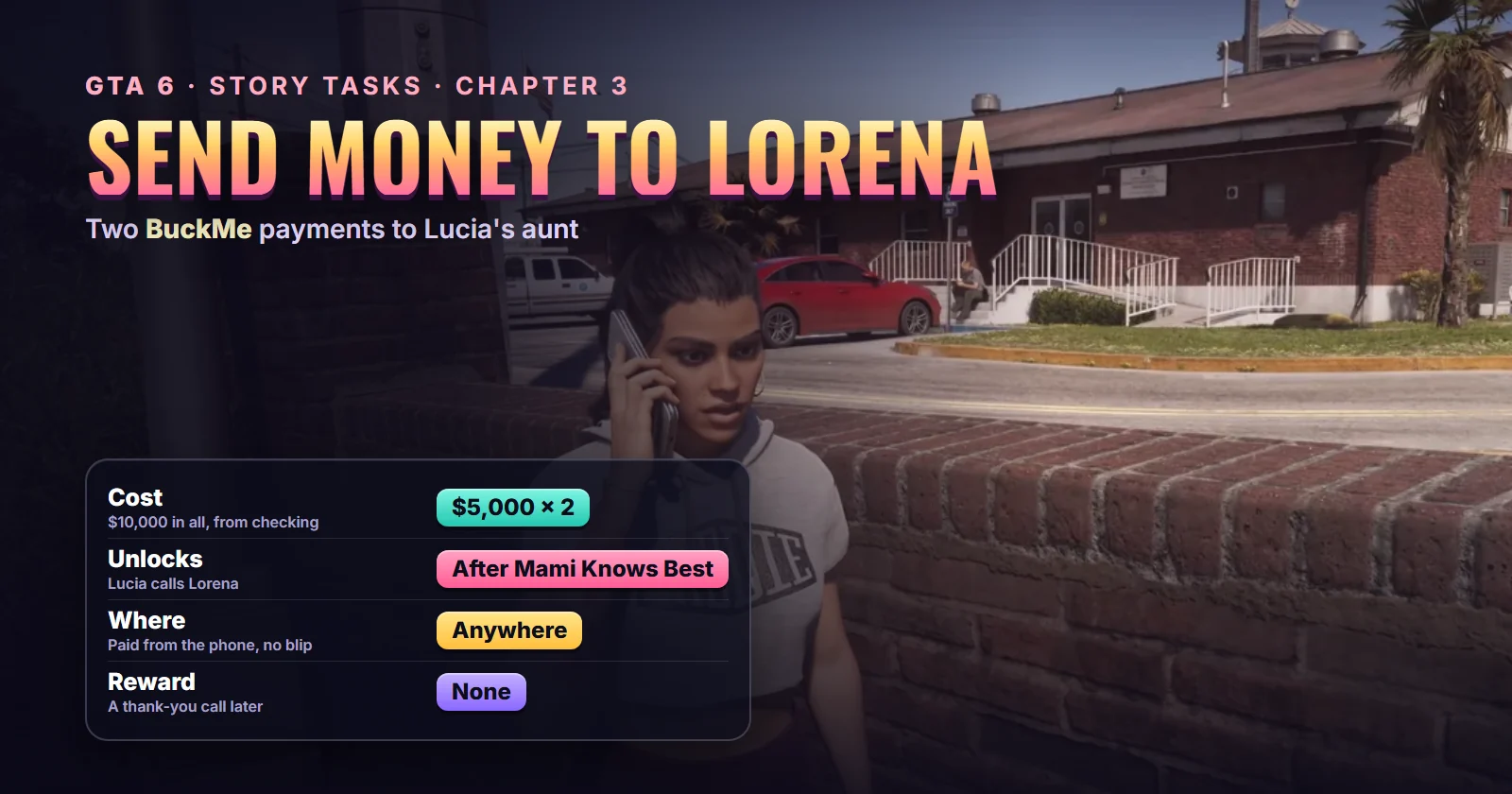
| Missions | Send Money to Lorena (#55) and Send More Money to Lorena (#58) in the story list |
| Chapter | Chapter 3 |
| You play | Lucia in every run we watched. The task card has no “Lucia only” tag |
| Given by | Lucia herself, after a phone call with her aunt Lorena |
| Where it starts | Anywhere. There’s no blip: you pay from the phone |
| Unlocks after | Mami Knows Best (#51), straight after the mission ends |
| Second payment | Send More Money to Lorena, which appears later in Chapter 3 |
| Cost | $5,000 from BuckMe checking each time, $10,000 in all |
| Length | Under a minute each, if checking already holds $5,000 |
| Reward | None. A later call from Lorena closes the thread |
| Trophy | None |
| Required for 100% | Yes, both |
Mission briefing Who Lorena is, how both payments unlock and what this guide is based on. Contains spoilers.
Who Lorena is
Lorena is Lucia’s aunt. Lucia calls her Titi or Tía, and she’s the one raising Lucia’s son Tommy while Lucia is on early release, on top of three kids of her own. You hear her name as early as Coming Home in Chapter 1, and in Buck Me Lucia mentions that Lorena says Tommy is fine. She’s not Lucia’s mother: that’s Mia Caminos, the newly minted realtor from Mami Knows Best.
Things have got harder at Lorena’s end. Her husband Diego isn’t getting regular shifts any more, and she’s off to the temp agency. The task card on the map puts it more bluntly: Lorena’s husband lost his job.
How the two Lorena tasks unlock
Send Money to Lorena (#55) starts the moment Mami Knows Best ends. Lucia rings Lorena on her own, tells her about Mia’s new office, and hears about the money trouble. A text to Jason follows, and the task joins your Story list.
Send More Money to Lorena (#58) comes later. In Trophygamers’ run it was already on the Story list by the time Jason met Dre’Quan for Ride or Die, sitting next to Statue Appraisal and Raul’s Next Job. We haven’t seen the moment it appears, so expect it some way into Chapter 3 once the first payment is done.
Neither task blocks the story. Sirloin carried the first one on his list through Car Service and into Top Billing without sending a cent.
Where it starts: nowhere in particular. Both payments are made from the phone, so there’s no blip and no map marker to drive to. Browse the rest of the chapter on the missions page.
About this guide
No creator has a video of these tasks on their own, so this guide pieces them together from longer runs. Sirloin’s full Chapter 3 playthrough and Trophygamers’ Mami Knows Best video both show the call and the text that start the first payment. Sirloin’s map shows the task card and its $5,000 goal. Trophygamers’ Part 68 shows the second task on the list, and his Part 74 shows the second payment being sent, screen by screen. Lorena’s follow-up call comes from Sirloin’s run, checked against Game Guides Channel’s.
Step 1: Finish Mami Knows Best and listen to Lorena’s call (Lucia)
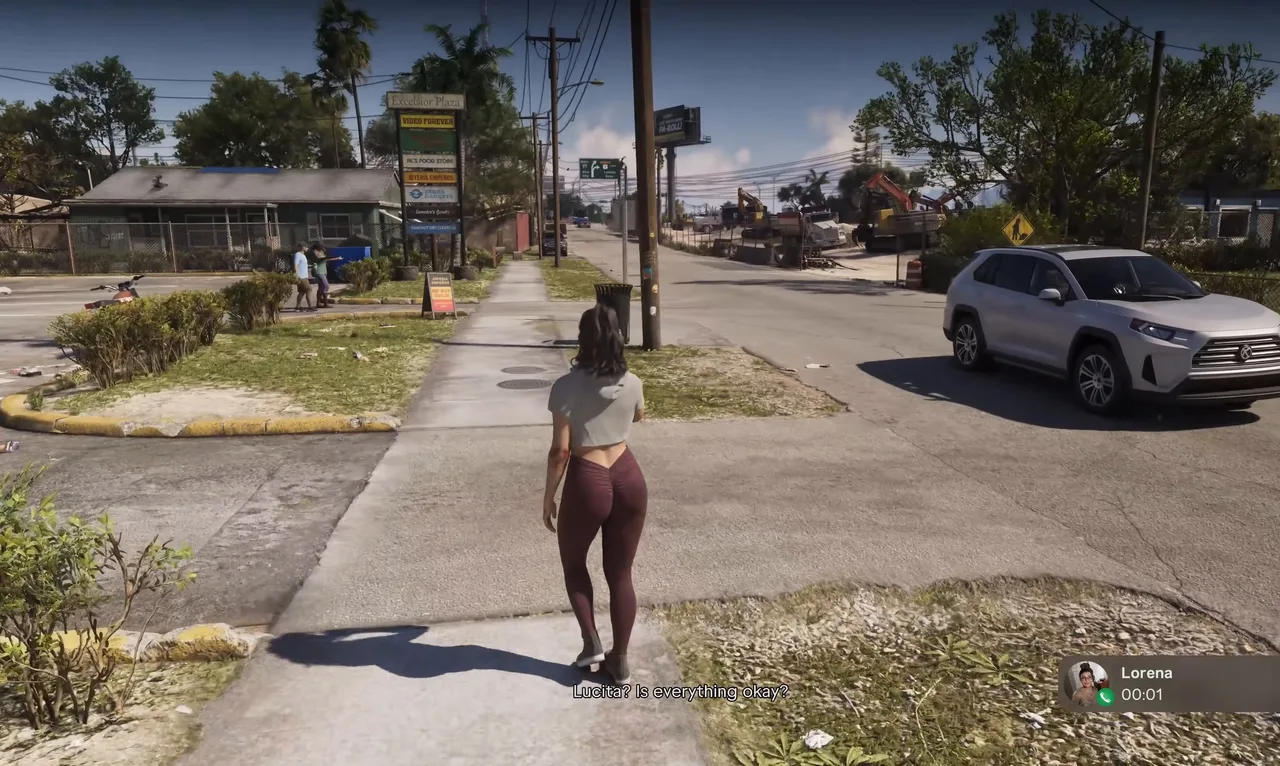
Once the last cutscene of Mami Knows Best ends, Lucia dials Lorena without you pressing anything. In Trophygamers’ run she rang from the car park outside Mia’s office in Hamlet; Sirloin had wandered off a little way and got the call on foot.
Lorena picks up: “Lucita? Is everything okay?” Footage: Sirloin.
The call is about a minute long and there’s nothing to choose. Lucia gushes about Mia’s signs and business cards. Lorena hopes Mia sticks with it this time, then lets slip that Diego is home with the kids because his shifts have dried up. Lucia asks straight out whether they need money. Lorena insists they’re fine, it’s only until orders pick up next quarter. Lucia promises to “buck” her anyway if she finds some cash lying around. Lorena tells her not to.
Step 2: Read Lucia’s text and check the task card (Lucia)
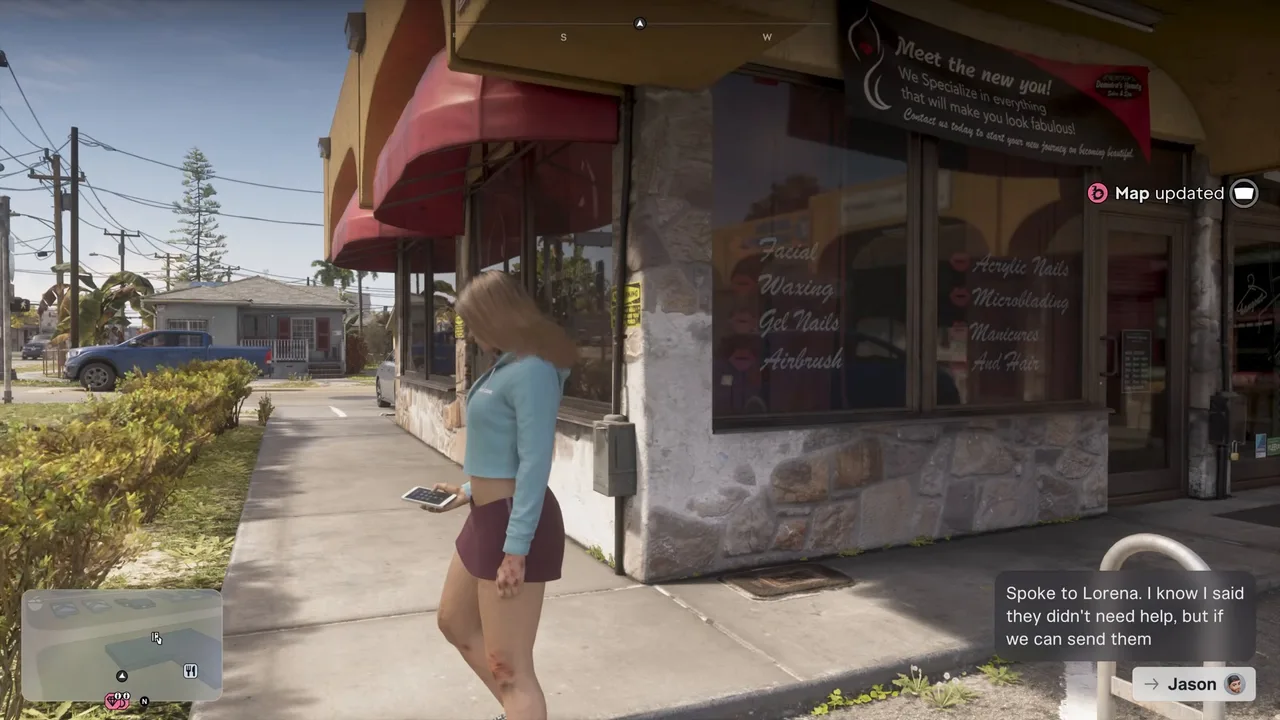
As the call ends, Lucia texts Jason: she spoke to Lorena, and even though Lorena said they didn’t need help, if they can send money they should. A Map updated notice pops up at the top right. That’s Send Money to Lorena joining your list.
Lucia’s text to Jason, and the map update that adds the task. Footage: Trophygamers.
Open the pause map and the Story list to see the task card. It reads that Lucia’s aunt is struggling after her husband lost his job and asks you to send some money via BuckMe. The Goal line tracks progress: $0 / $5,000. There’s an Open BuckMe shortcut under the card.
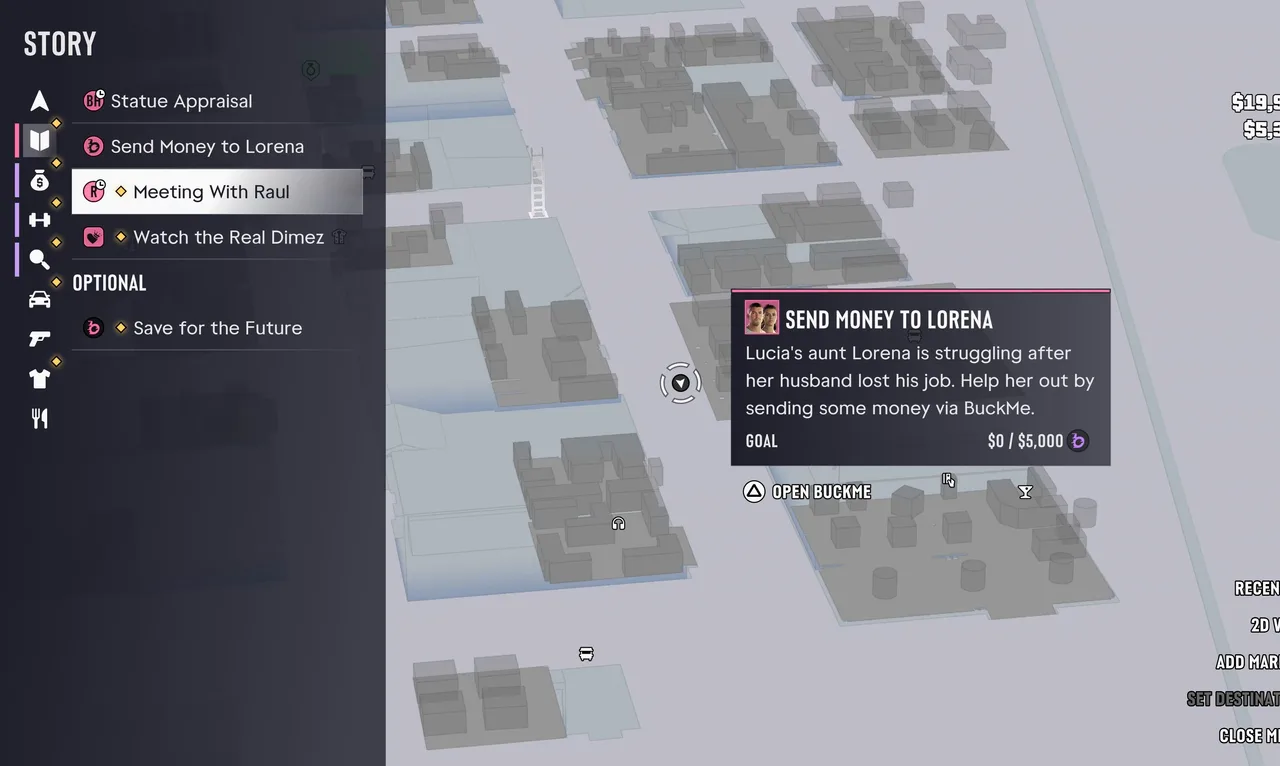 The task card: a $5,000 goal, paid through BuckMe. Footage: Sirloin.
The card has no “Jason only” or “Lucia only” tag, unlike the jobs around it, so the payment probably works from either character’s phone. Every run we watched paid as Lucia, though, so switch to her if it won’t go through.
Step 3: Make sure BuckMe checking holds $5,000
The payment comes out of the Checking Account in BuckMe, not the cash in your pocket. If checking is short, bank cash at an ATM first (see the Buck Me guide for how the accounts work).
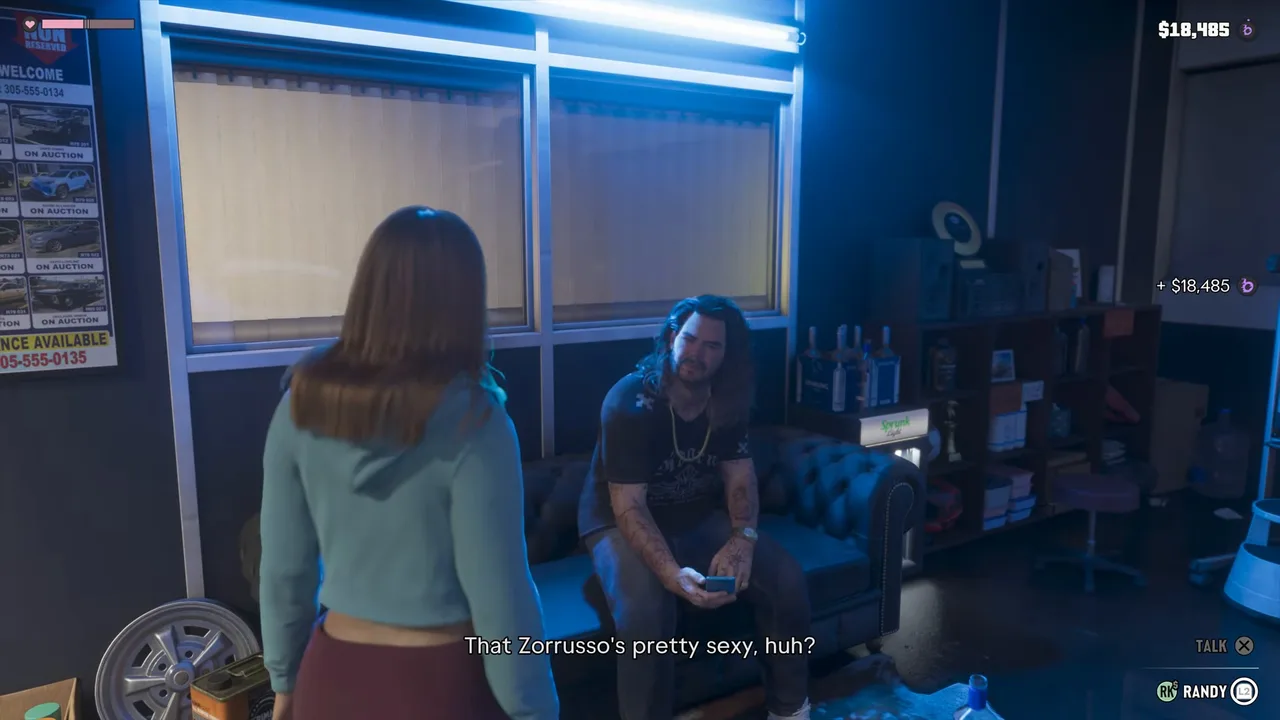
Family Savings can’t help here. Money moved into it never comes back out, and Trophygamers had swept everything into savings: on his Ride or Die map, checking read $0. He waited until Randy paid him $18,485 for the Zorrusso from Randy’s Wish List, and sent Lorena’s money straight away.
Randy’s $18,485 lands in checking, so the payment can go out. Footage: Trophygamers.
Step 4: Open BuckMe and press Pay Someone
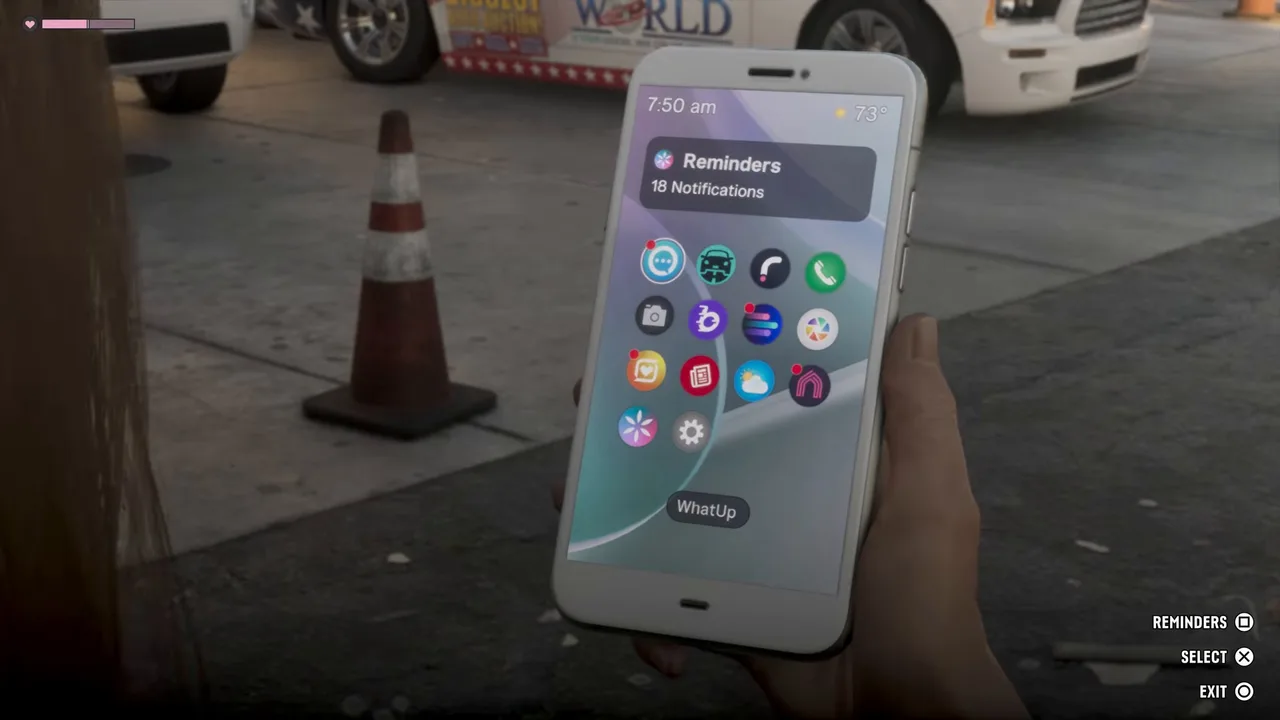
Bring out the phone and open BuckMe, the purple “b” on the home screen (or use the map card’s Open BuckMe shortcut). You can do this anywhere, even standing in a car park.
BuckMe is the purple “b” on the home screen. Footage: Trophygamers.
On BuckMe’s home screen, select the gold Checking Account card. Its page shows your balance and the account’s $500K limit, with three buttons underneath. Press Pay Someone.
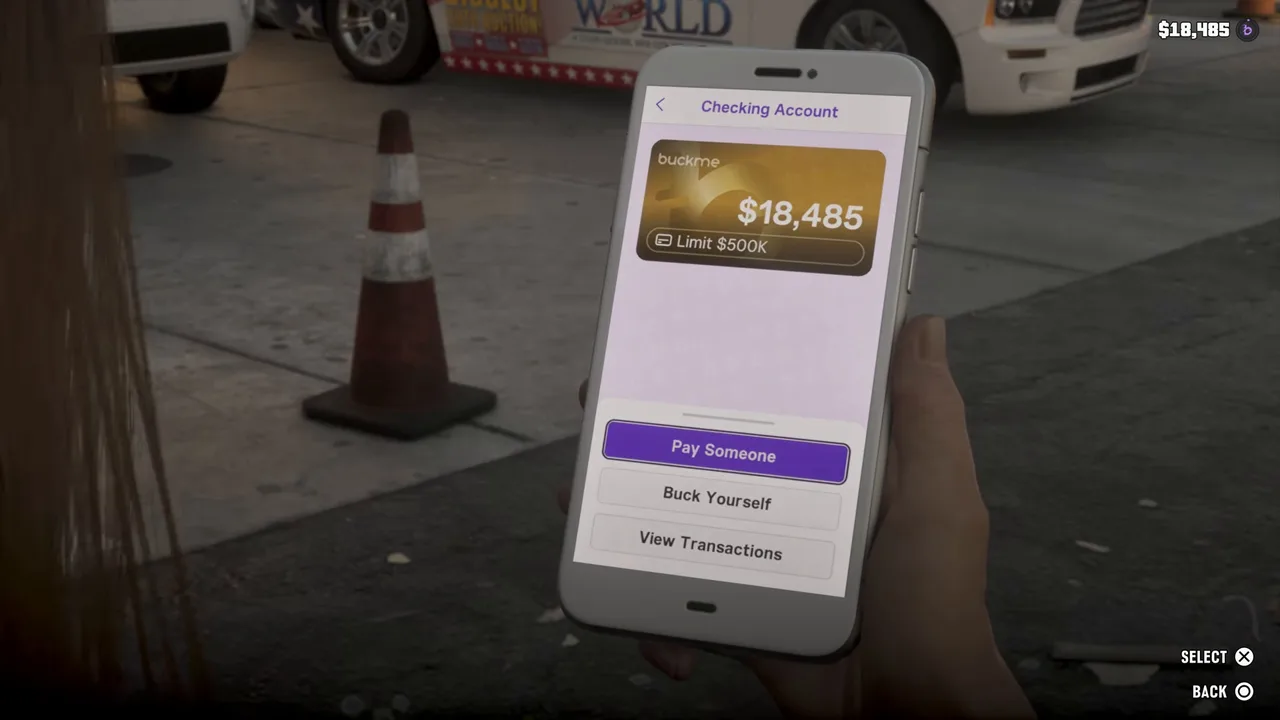 Checking Account, then Pay Someone. Footage: Trophygamers.
Step 5: Pick Lorena and press Buck ’Em
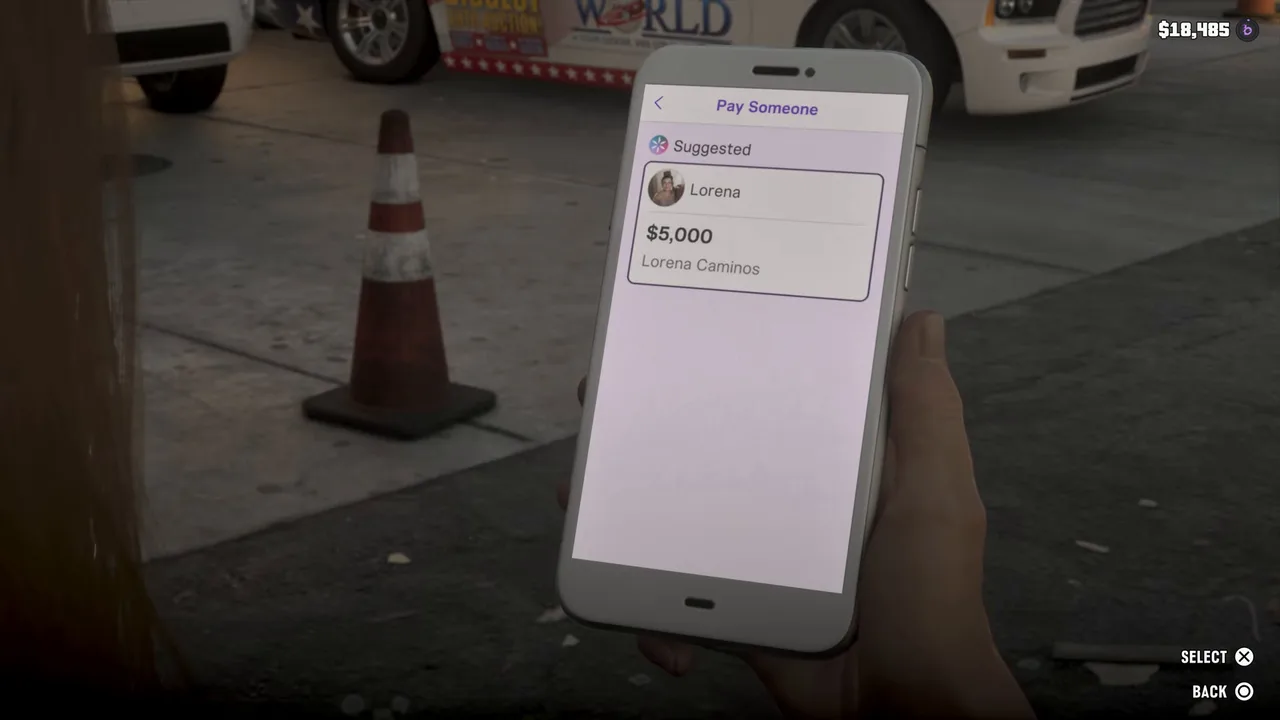
The Pay Someone page lists Lorena under Suggested, with $5,000 and her full name, Lorena Caminos. Select her card.
Lorena waits under Suggested with the amount already filled in. Footage: Trophygamers.
The Amount screen shows $5,000, labelled Maximum, coming from the checking account and going to Lorena. An Adjust prompt sits at the bottom right, so you can probably send less and top it up later, which fits the card’s goal counter. We’ve only seen the full $5,000 sent in one go. Press Buck ’Em.
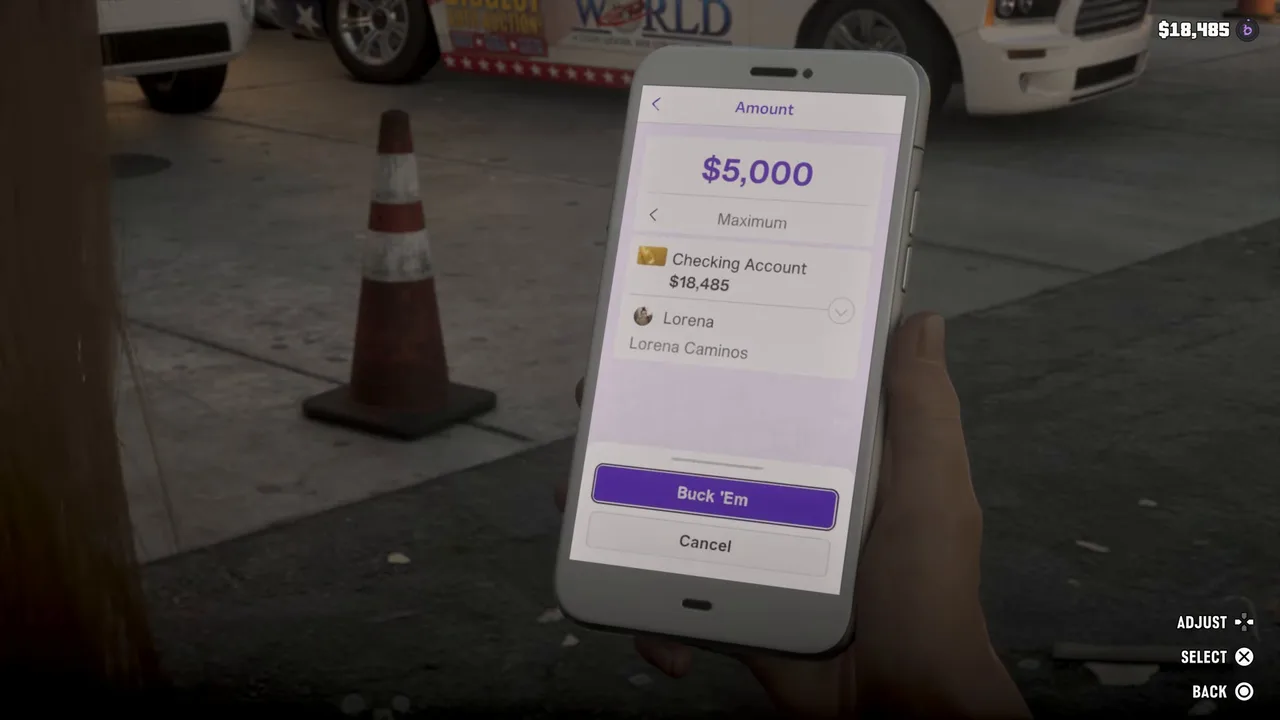 $5,000 is the most Lorena’s request will take. Footage: Trophygamers.
A Transaction screen with Lorena’s photo confirms -$5,000 to Lorena Caminos. The HUD shows $5,000 → Lorena and the balance at the top right drops by $5,000.
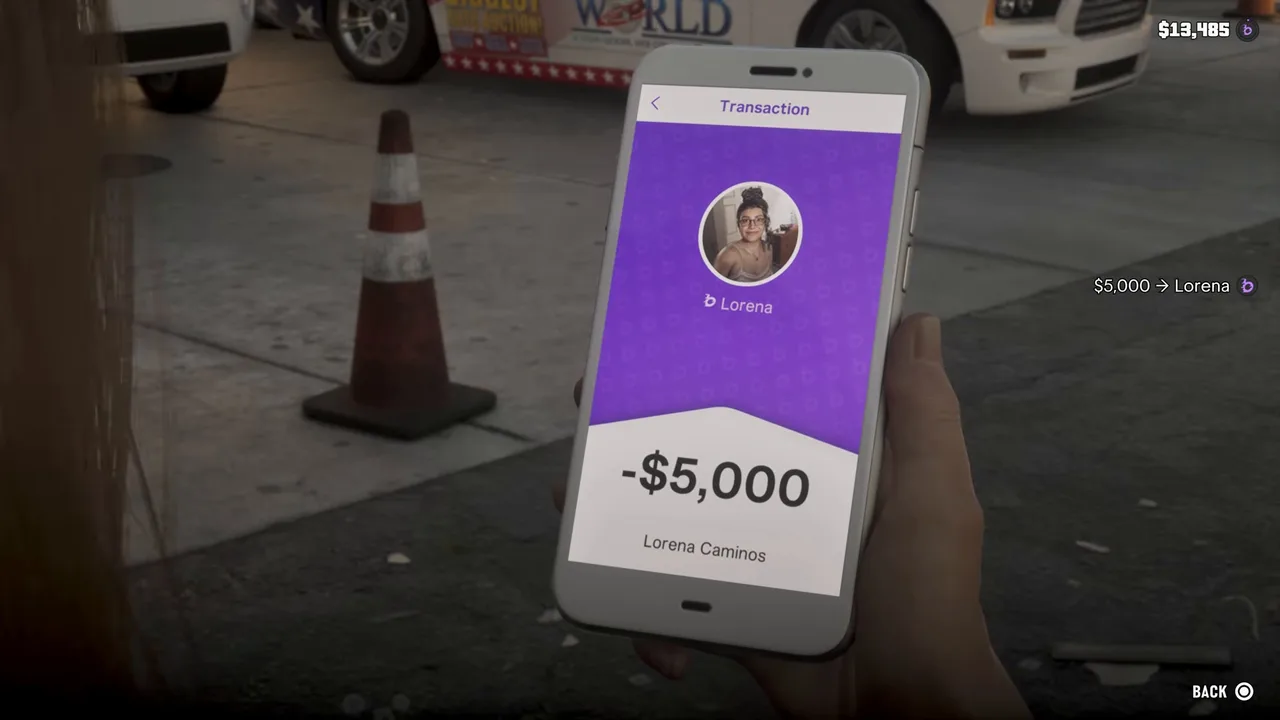 The money’s gone: $5,000 to Lorena. Footage: Trophygamers.
Back on the BuckMe home screen, checking had gone from $18,485 to $13,485 in Trophygamers’ run, while Family Savings stayed at $66,472. That’s the task done. No text came back from Lorena in the footage, and there’s no mission-passed screen.
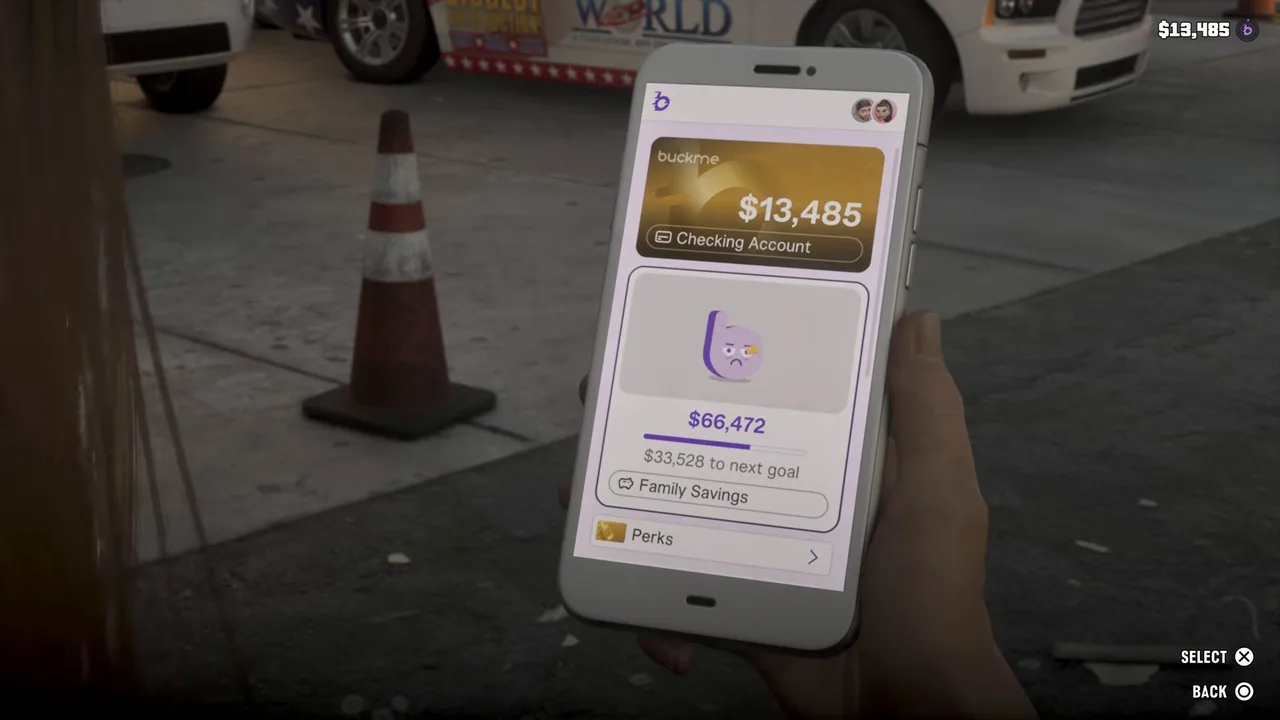 Checking after the payment. Family Savings isn’t touched. Footage: Trophygamers.
Step 6: Send More Money to Lorena: repeat it for the second $5,000
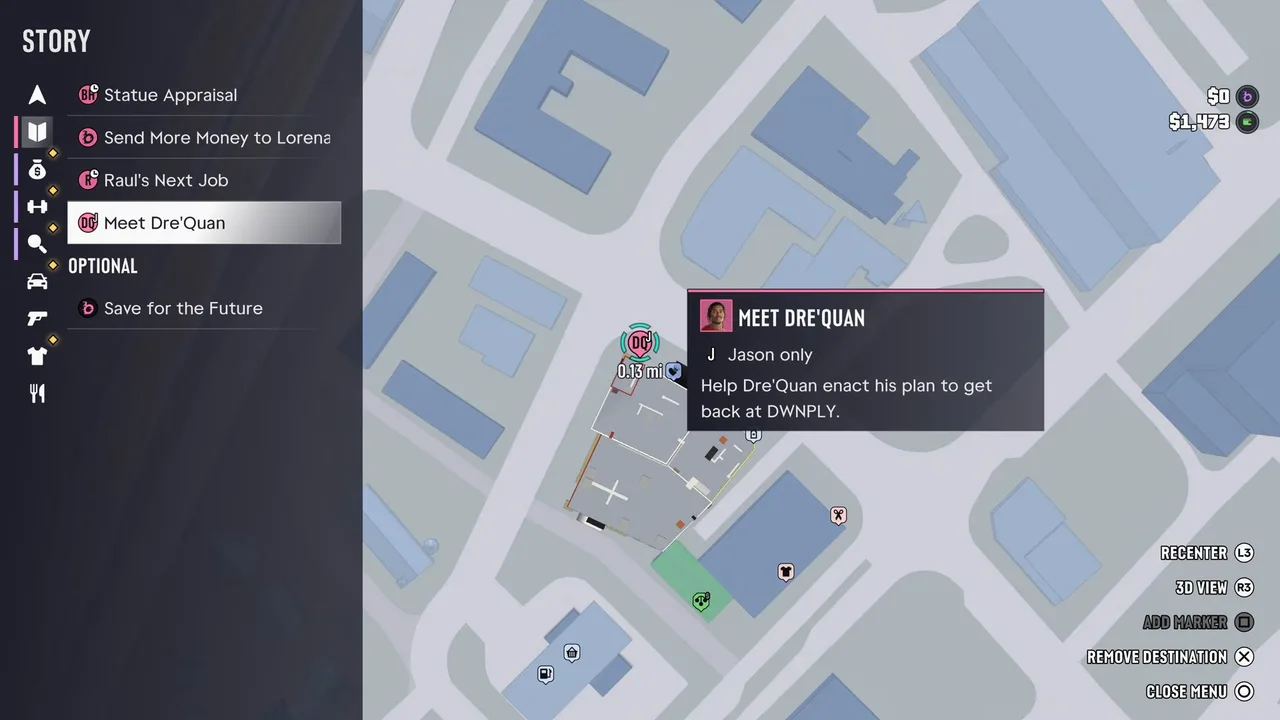
Some time after the first payment, Send More Money to Lorena appears on the Story list with the purple BuckMe icon. In Trophygamers’ run it was there when Jason went to meet Dre’Quan, alongside Statue Appraisal and Raul’s Next Job.
Send More Money to Lorena on the list. Note the $0 checking balance. Footage: Trophygamers.
Pay it exactly as in Steps 4 and 5: BuckMe → Checking Account → Pay Someone → Lorena → Buck ’Em. The screens above are from this second payment, and again it was $5,000, so you send Lorena $10,000 in total.
Step 7: Take Lorena’s call about the bank (Lucia)
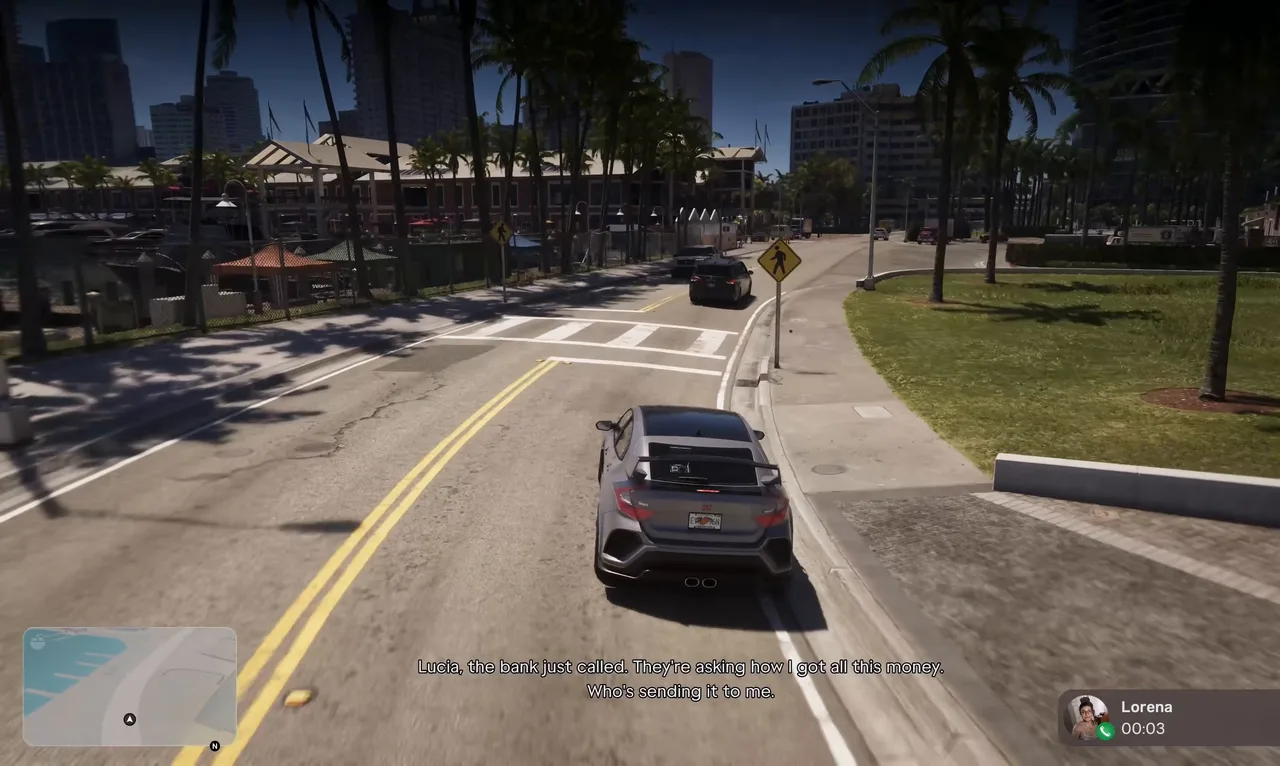
There’s a postscript. Much later in Chapter 3, Lorena rings Lucia in a panic: the bank has called asking how she came by all this money and who’s been sending it. Sirloin got the call driving through downtown Vice City, more than seven hours into his Chapter 3 run. Game Guides Channel got it in the middle of a Yasmani jewelry job.
Lorena’s call: the bank wants to know where the money came from. Footage: Sirloin.
Lucia swears. Lorena has already handled it: she told them she won the numbers, and whatever they believed, they went away. She thanks Lucia, says the money has helped them a lot, and tells her to start saving for herself for when she’s out of trouble. Lucia sends her love, with a double dose for Tommy. There are no choices, and nothing is asked of you.
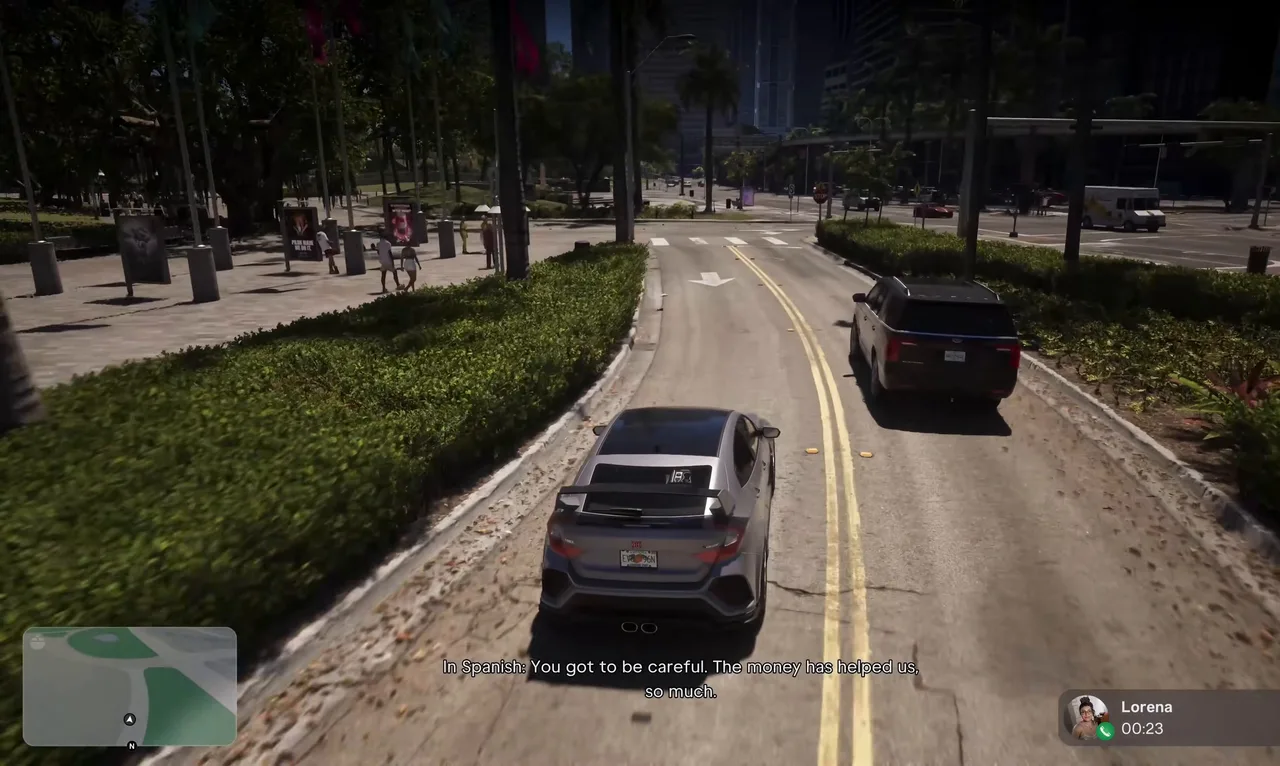 “The money has helped us so much.” Lorena’s thanks. Footage: Sirloin.
Rewards
- None in cash. Both tasks only cost you: $5,000 each, $10,000 in all, from BuckMe checking.
- No trophy. Neither task has one.
- 100% completion. Both are mandatory entries in the story list and count towards 100%.
- Story payoff. Lorena’s later call about the bank, and her thanks.
For ways to win the $10,000 back, see our money guide.
Tips
- Keep $5,000 in checking. If you sweep everything into Family Savings, you can’t pay until new money comes in. Bank cash at an ATM or wait for a job payout, as Trophygamers did with Randy’s money.
- Look at the Story list, not the map. Neither payment adds a blip. If you missed the call, the task card and its Open BuckMe shortcut are in the pause map’s Story list.
- Pay whenever it suits you. Nothing in Chapter 3 waits on Lorena’s money, so a tight balance early on isn’t a problem. Just don’t forget it if you’re going for 100%.
- Pay from a safe spot. You can use the phone at the wheel, but it’s a few screens deep. Pull over first.
Related guides
- Before this: Mami Knows Best (#51), whose ending sets up the first payment, and Here, Kitty Kitty (#54). Around it: Encrypted Hard Drive (#56), Car Service (#57) and Top Billing (#59). See all GTA 6 missions.
- Buck Me: how the BuckMe app and its two accounts work.
- Pay the Cellerica Fee: Lucia’s other BuckMe payment, $5,000 to Andy.
- GTA 6 characters: Lucia, Mia, Tommy and the rest of the family.
Frequently Asked Questions
Who is Lorena in GTA 6?
Lucia's aunt, her Tía Lorena. She's raising Lucia's son Tommy alongside her own three kids while Lucia is on release. She isn't Lucia's mother: that's Mia Caminos, the realtor from Mami Knows Best.
How much do you send Lorena in GTA 6?
$5,000 each time, so $10,000 over the two tasks. The task card on the map tracks a $0 / $5,000 goal, and the BuckMe amount screen shows $5,000 as the maximum.
How do you send money to Lorena?
Open BuckMe on the phone, select the Checking Account card, press Pay Someone, pick Lorena under Suggested and press Buck 'Em. The money leaves checking at once and the HUD shows $5,000 → Lorena.
What happens if you don't send money to Lorena?
Nothing blocks you. Sirloin left the first payment on his list through Car Service and into Top Billing. Both tasks are required for 100% completion, though, and the second one only appears after the first.
Do you get anything for sending money to Lorena?
No cash and no trophy. Later Lorena calls to say the bank asked where the money came from, that she told them she won the numbers, and that it has helped the family a lot.
Sources & Credits
Researched from these videos and official material, among others. Screenshots credit the creator whose footage they come from.
- GTA 6 - Full Chapter 3 Walkthrough (No Commentary) 4K · Sirloin
- GTA 6 - Mami Knows Best - Helping Lucia's Mother - Walkthrough Part 52 · Trophygamers
- GTA 6 - Ride or Die - Meet Dre'Quan - Walkthrough Part 68 · Trophygamers
- GTA 6 - Unlock Key Cloner - Steal Zorrusso for Randy - Walkthrough Part 74 · Trophygamers
- Yasmani's Jewelry Jobs – GTA 6 · Game Guides Channel
- Send Money to Lorena (GTA 6 mission) · gtabase
- Send More Money to Lorena (GTA 6 mission) · gtabase