Jump to your step
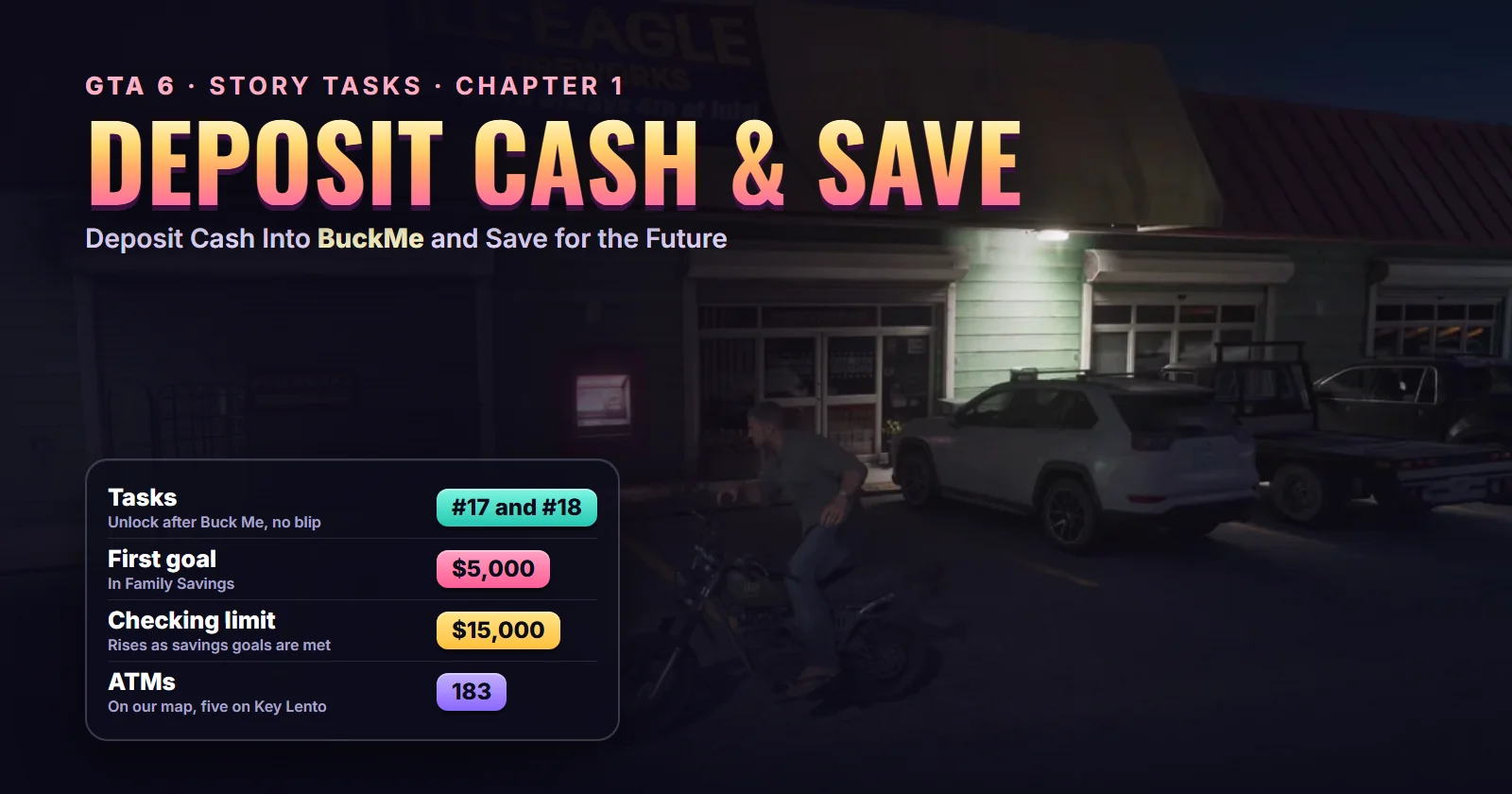
Deposit Cash Into BuckMe & Save for the Future: quick facts
| Missions | Deposit Cash Into BuckMe (#17) and Save for the Future (#18) in the mission database |
| What they are | Two banking tasks on your phone and at an ATM. No cutscenes, no enemies |
| Chapter | Chapter 1. Save for the Future stays on your list for the rest of the story |
| You play as | Jason Duval (BuckMe is a joint account, so Lucia’s phone shows the same balances) |
| Given by | Nobody. They appear when Buck Me ends |
| Where they start | Any ATM. The nearest to Jason’s house is by The Inked Mermaid tattoo parlour in Key Lento |
| Unlock after | Buck Me (#15) |
| Length | Two or three minutes, plus the time to earn $4,900 |
| Reward | Your cash is safe in the bank; the $5,000 goal message and a higher goal |
| Trophy | None |
| Required for 100% | Yes, both |
Mission briefing How the two tasks unlock, where they start and what they are for. Light Chapter 1 spoilers.
How the BuckMe tasks unlock
Both tasks open the moment Buck Me ends, the Chapter 1 mission where the Fleeca manager turns Jason down for a real account and signs him and Lucia up for the BuckMe app instead. That mission finishes by moving the $100 welcome bonus into Family Savings, so you start these tasks with $0 in checking, $100 saved and $4,900 to go.
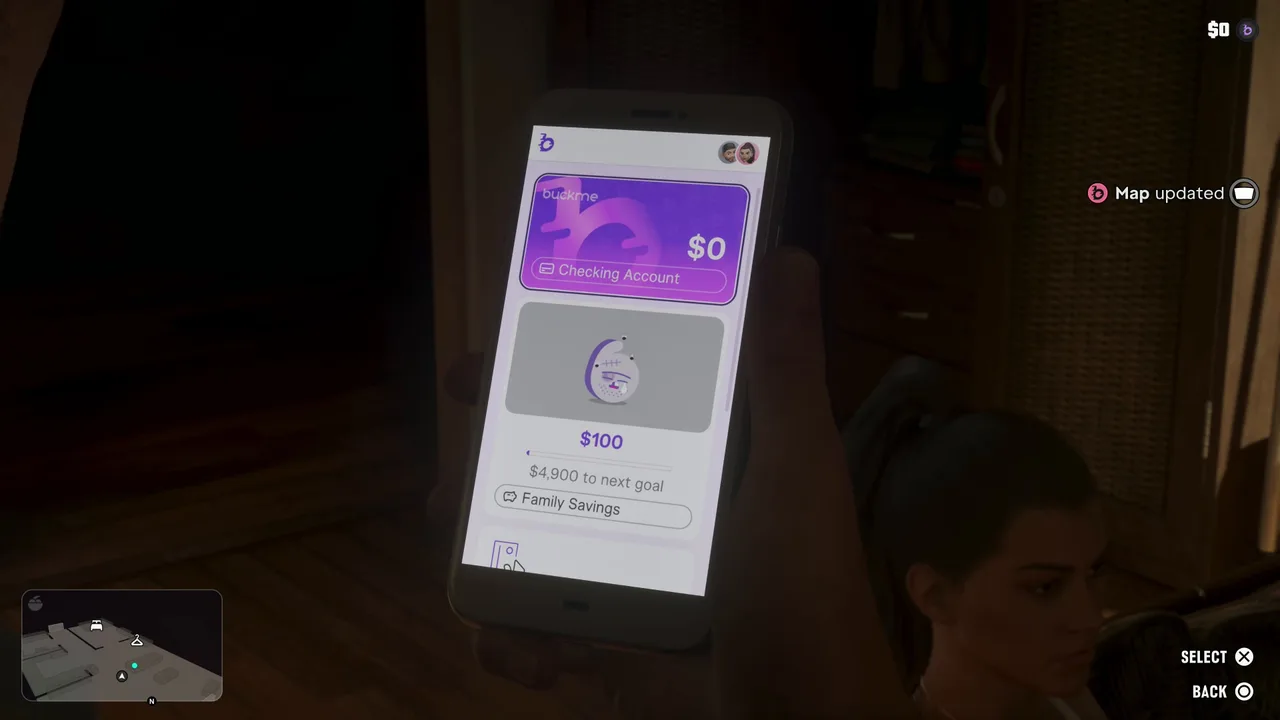 Where you start: $0 in checking and $100 saved after Buck Me. Footage: GameRiot.
The game spells out the first one as soon as you’re on the move again. In Perfect Score’s run, Jason walks out to his Ganado the next morning and two tips pop up: you can order rides in the RydeMe app, and you can now deposit cash into BuckMe at an ATM instead of using your stash. The top right now shows three balances: BuckMe, the cash in your pocket and the floorboard stash at home.
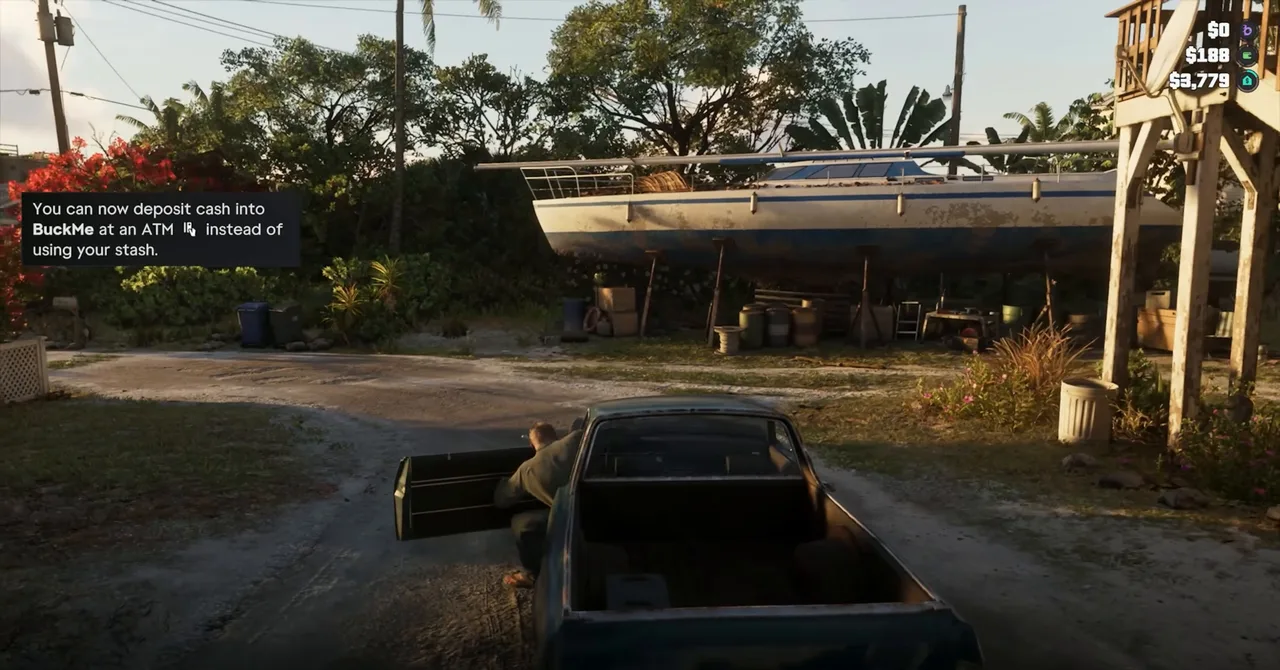 The tip that starts Deposit Cash Into BuckMe: $0 banked, $188 in pocket, $3,779 in the stash. Footage: Perfect Score.
Where they start: nowhere in particular. Neither task has a blip or a mission marker; according to the mission database you find them in the task list (the storybook icon on the pause map). Any ATM finishes the first one. The closest to Jason’s house is on the strip with The Inked Mermaid tattoo parlour and the Ill-Eagle Fireworks store, near Chuck’s Tackle & Shot from Gear Up: show that ATM on the live map.
You can do them whenever you like. GameRiot did both the same night, before Clean Up After Donnie and Down to Earth; Perfect Score still had nothing banked the next morning. Nothing in the story waits on them, but they matter a lot before the end of the chapter (see “The Chapter 1 trap” below).
About this guide
The walkthrough follows GameRiot’s Part 6, the only run in our index that does both tasks start to finish right after Buck Me. Perfect Score’s Chapter 1 playthrough shows how the task begins, MrDalekJD’s beginner guide shows the ATM Finder and the deposit screen, and two of Trophygamers’ later episodes show what the goals turn into.
Step 1: Find an ATM with the ATM Finder
Open BuckMe (the purple “b” on your phone) and scroll down past the Family Savings card. Under it sits an ATM Finder card with a Set Destination button. Press it and the game routes you to the nearest machine; MrDalekJD’s tip is to use this instead of hunting on the big map. A FAQ link underneath, “How do limits work?”, explains the checking limit covered further down.
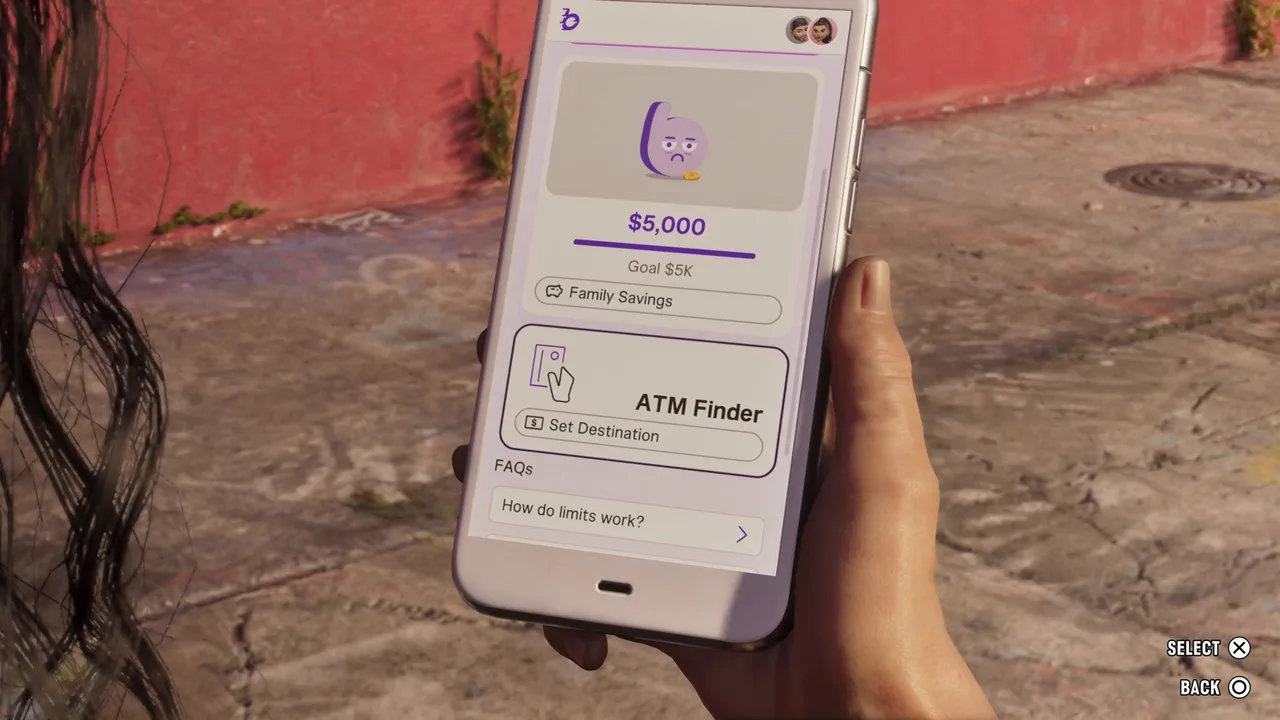 The ATM Finder sits under Family Savings. This shot is from Lucia’s phone: the account is shared. Footage: MrDalekJD.
ATMs are everywhere. Our map has 183 of them, five on Key Lento alone, including one in the wall of the Fleeca where Buck Me starts. On the in-game pause map, the key lists them as Cash Deposits (the entry shows in Trophygamers’ Ride or Die episode).
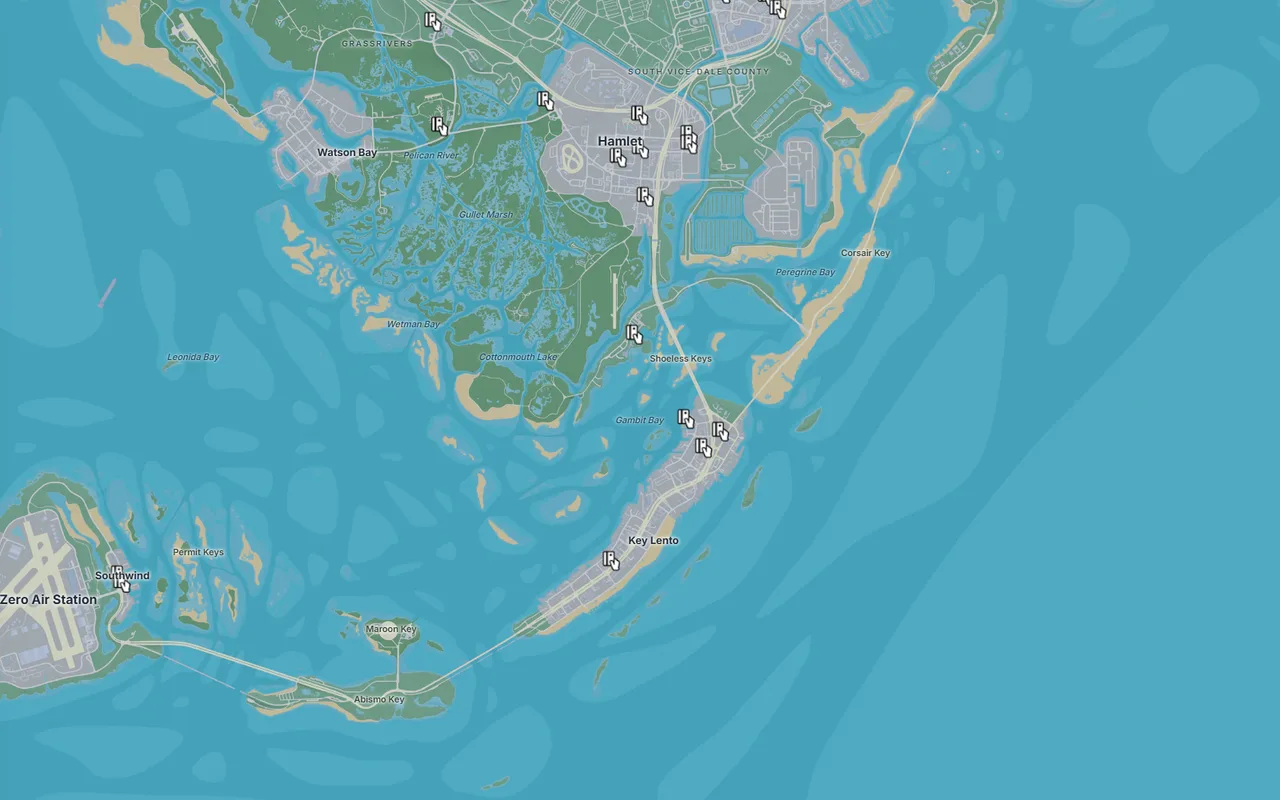 ATMs around Key Lento and Hamlet. Open the live map with ATMs shown. Map: Clutchbase.
Step 2: Ride to the ATM and use it
GameRiot rode a dirt bike to the closest one, a short ride from Jason’s house. It’s set into the front of a small strip mall: an Ill-Eagle Fireworks store at one end, The Inked Mermaid’s neon “TATTOO” sign further along, and the ATM between a roller shutter and the fireworks shop door.
Walk up to the glowing screen and use the ATM prompt (triangle on PlayStation).
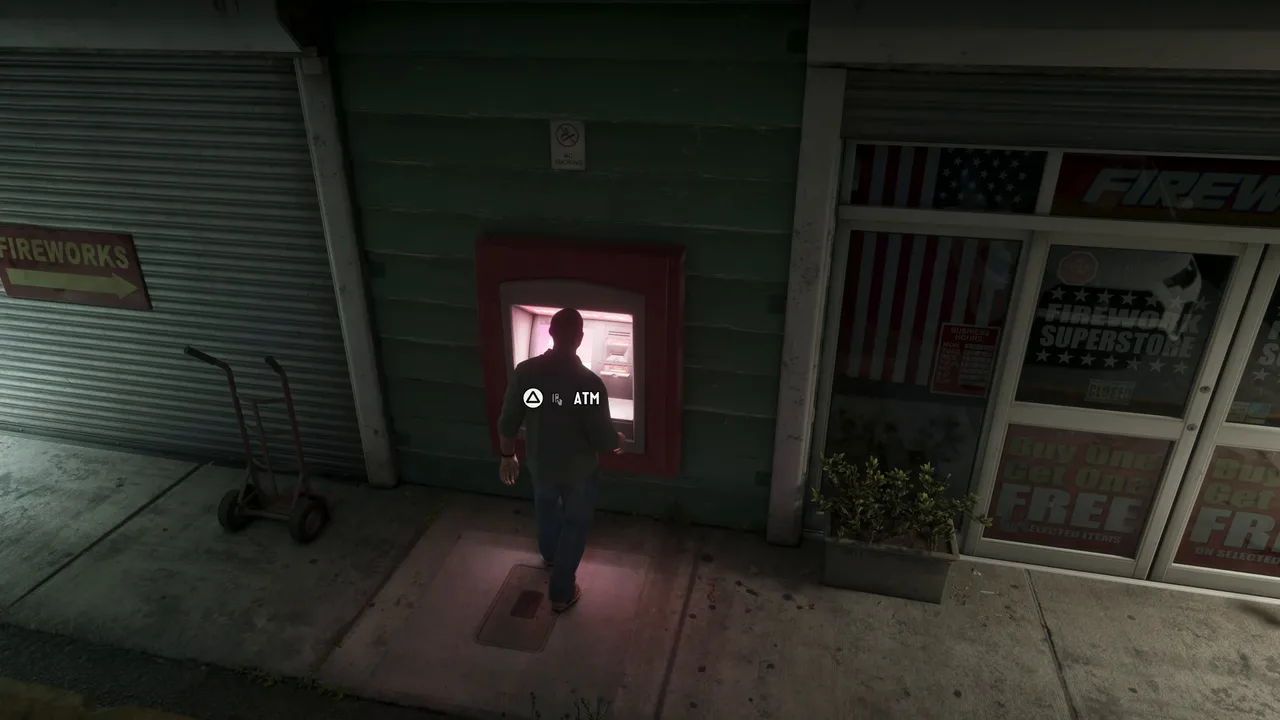 The ATM next to the fireworks store, a short ride from Jason’s house. Footage: GameRiot.
If you try this before Buck Me, the machine sends you away: JoblessGarrett got “You need a bank account to use ATMs” in his first hour. And you can’t bank from your phone at all. MrDalekJD points out there’s no depositing in the middle of a shootout, so make the stop before anything risky.
Step 3: Deposit your cash
The screen reads Your Account with three options: Deposit, Withdraw and Transactions, plus Exit. Pick Deposit.
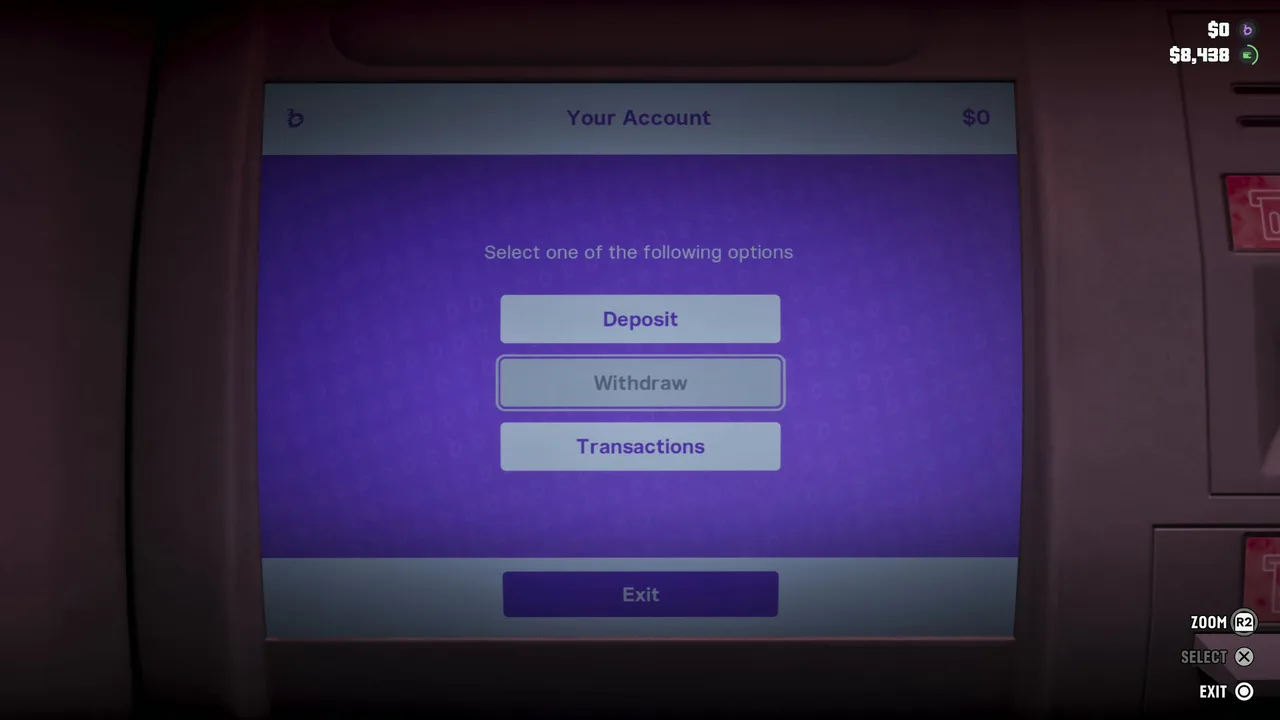 The ATM menu. Deposit is the one you want. Footage: GameRiot.
The deposit screen says “Choose how much you would like to deposit” over a line that reads Account Limit $15,000. The amount starts at your whole pocket (MrDalekJD’s opened at his full $1,570, marked Maximum). Move left and right to change it, then Confirm. GameRiot was carrying $8,438 and stepped it down to $6,693, keeping some cash for the road. The ATM thanks you for bucking with it and the BuckMe balance at the top right jumps. That’s Deposit Cash Into BuckMe done.
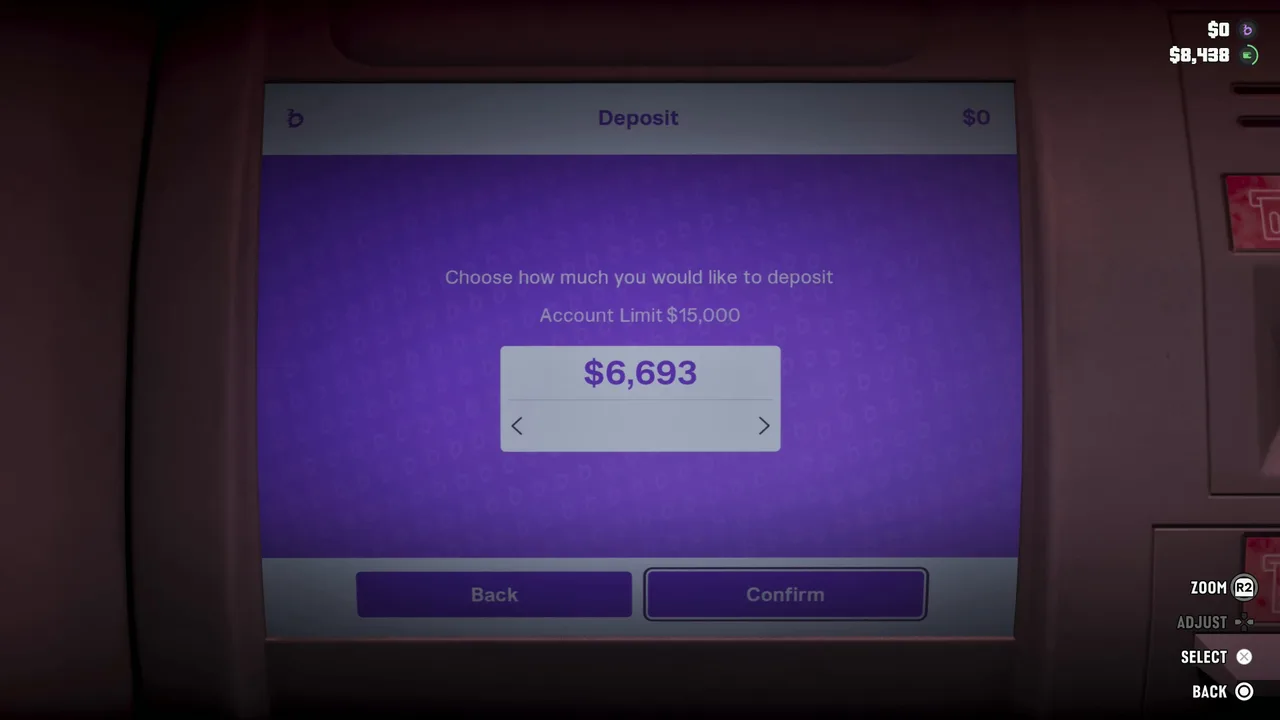 Choose the amount and Confirm. In Chapter 1 the account holds up to $15,000. Footage: GameRiot.
Two numbers to remember:
- $15,000 is the checking limit for now. Every Chapter 1 screen we’ve seen shows it, whether the player had $0 or $1,700 saved. Saving raises it (see below).
- Withdraw works the other way. LaazrGaming’s Chapter 2 withdrawal screen shows an account limit of $20,000, which matches the most cash you can carry.
Step 4: Open BuckMe and choose Family Savings
Now for Save for the Future. Bring out the phone and open BuckMe. The splash screen is the purple “buckme” logo; behind it, GameRiot’s balance already reads $6,693.
 Straight from the ATM into the app. The deposit already shows at the top right. Footage: GameRiot.
Select the Family Savings card (or the checking card, then Buck Yourself; both lead to the same screen). The Amount screen opens at the $100 Minimum. Below it, BuckMe previews both balances after the move and a progress bar towards Goal $5K.
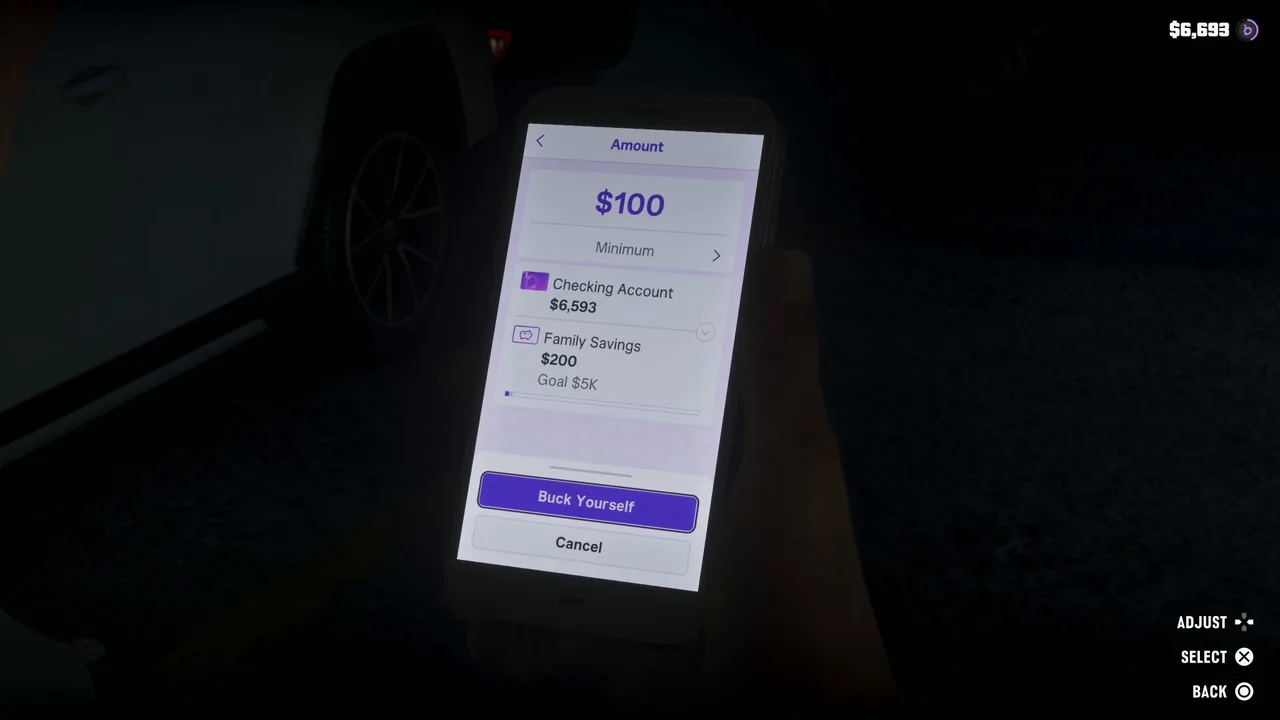 The amount starts at the $100 minimum. Raise it before you press anything. Footage: GameRiot.
Watch that minimum. TGG pressed Buck Yourself straight away in his launch stream and moved just $100.
Step 5: Buck Yourself up to the $5,000 goal
Push the amount right. In GameRiot’s run it stopped at $4,900 Maximum, even though he had $6,593 in checking: $4,900 is exactly what was left to the goal, and the preview shows Family Savings at $5,000 with a tick next to Goal $5K. Much later in the story, Trophygamers’ maximum was his whole checking balance, because the next goal was further away than his balance. So the cap looks like the smaller of your checking balance and the gap to your goal.
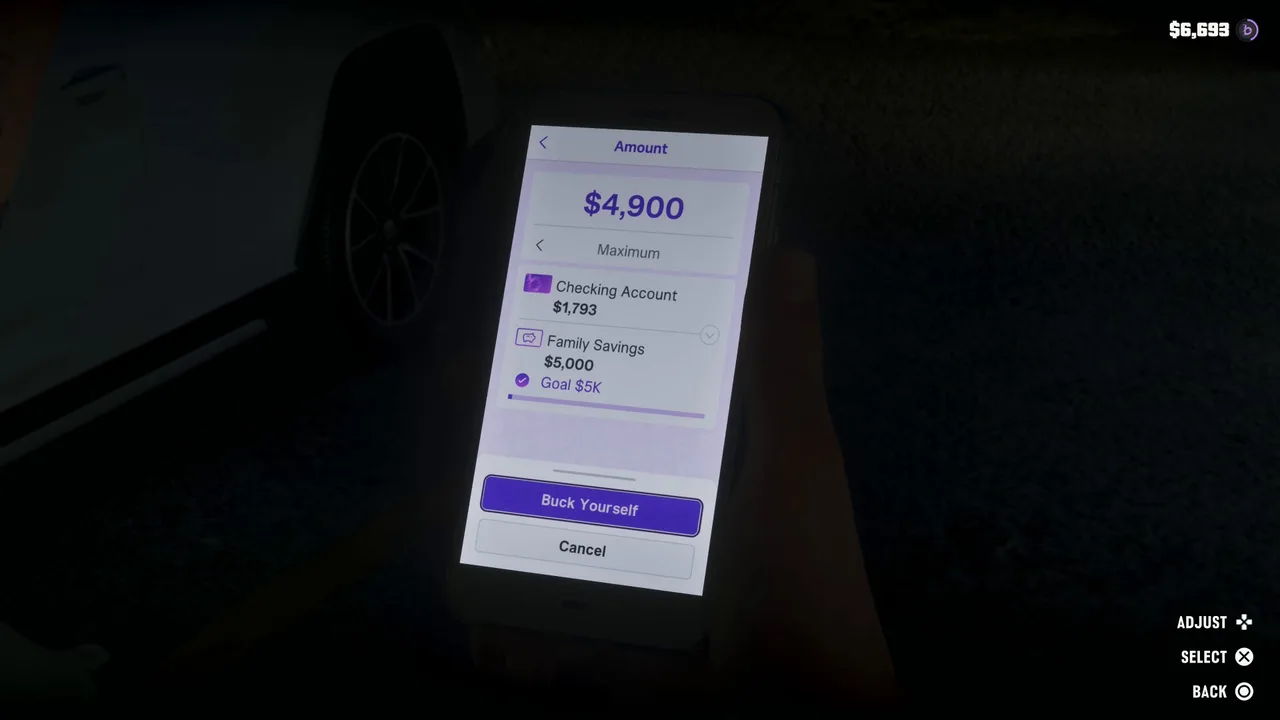 $4,900 is the most it lets you move: exactly what takes savings to $5,000. Footage: GameRiot.
Press Buck Yourself. The same warning as in Buck Me asks if you’re sure, since you won’t be able to withdraw the money once it’s moved. Confirm, and the phone shows Bucking Complete: Money successfully moved! GameRiot’s checking dropped to $1,793.
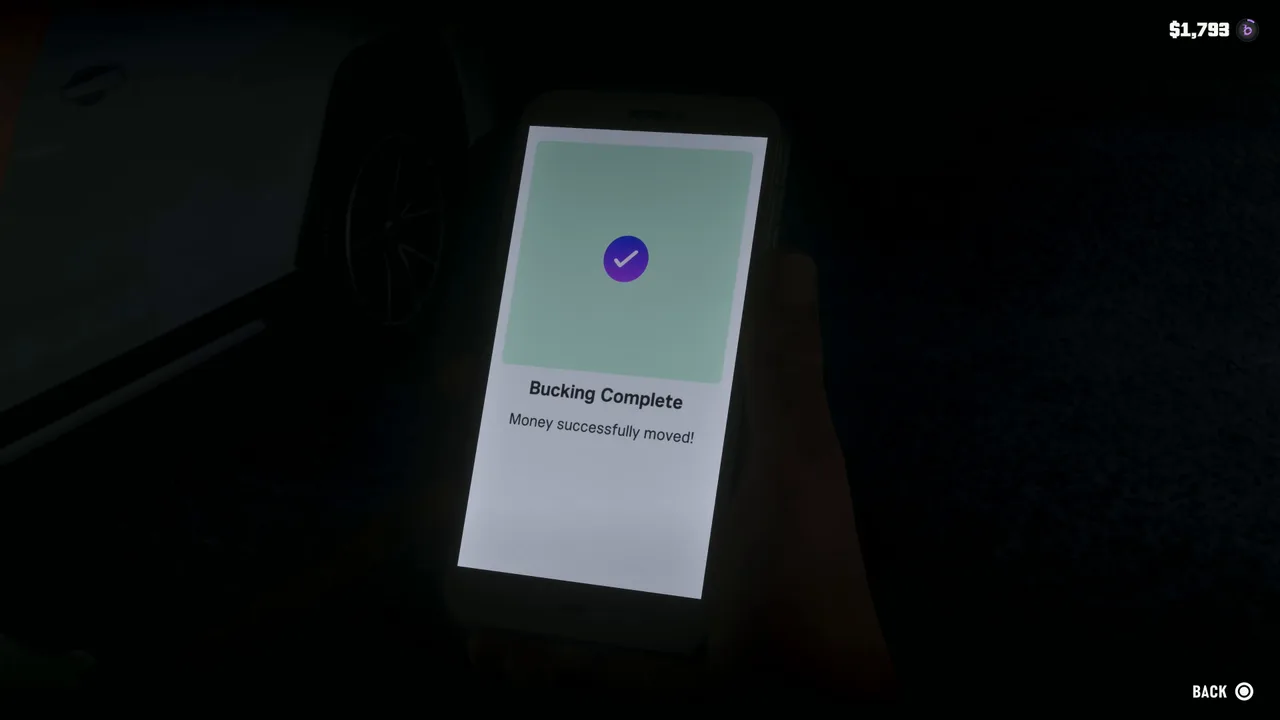 Bucking Complete. $1,793 stays in checking. Footage: GameRiot.
No $4,900 in hand yet? Bank what you have and come back. Every transfer counts, and the app keeps track of the gap. Our money guide has the quickest Chapter 1 earners.
Step 6: Hit the goal
Reaching $5,000 gets two reactions. Jason texts Lucia: $5k, they’ve hit the target in their savings. About a minute later, BuckMe itself pings: “Congratulations on meeting your FAMILY SAVINGS goal! Keep Bucking for your…” TGG got the same 5K goal message in his launch stream.
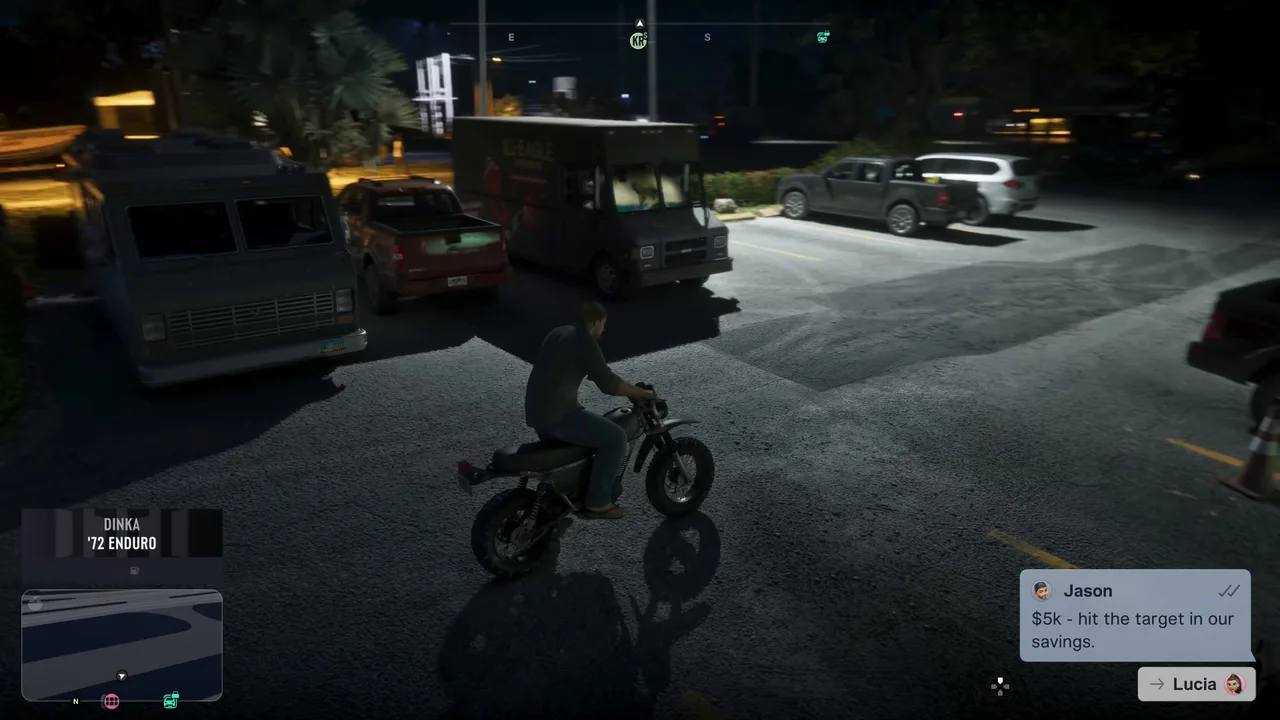 Jason tells Lucia the moment the goal is hit. Footage: GameRiot.
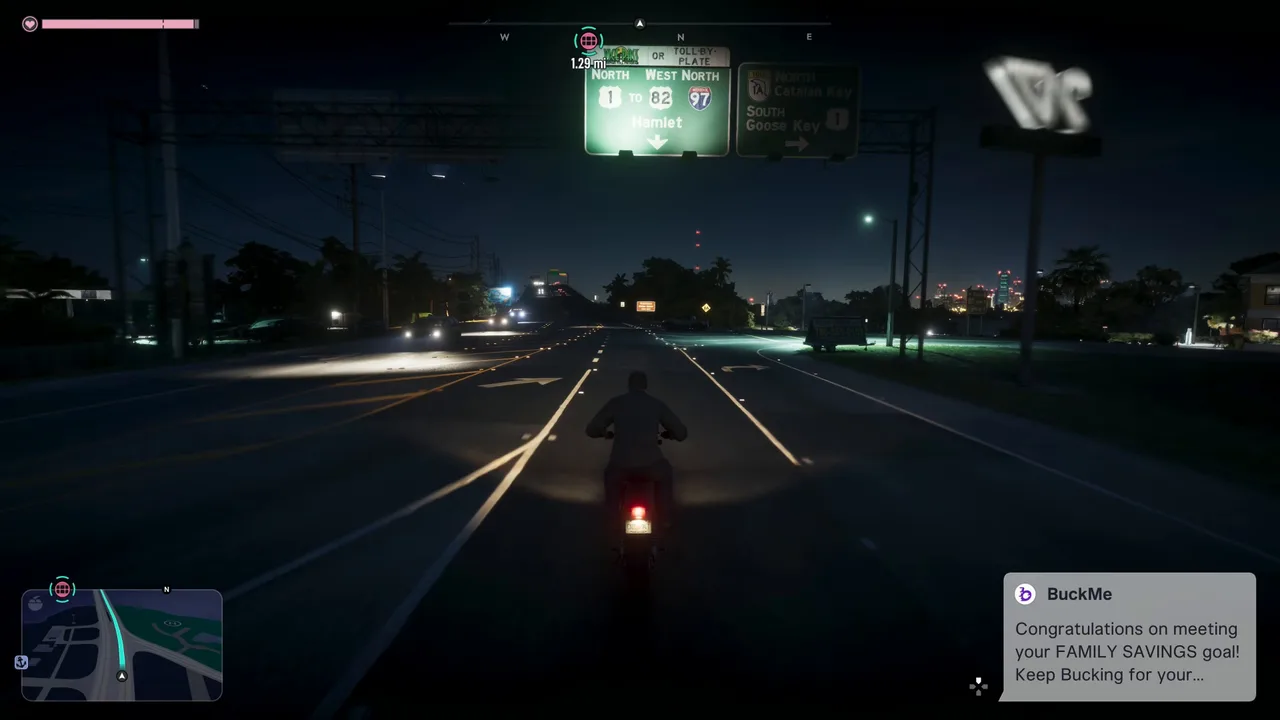 BuckMe’s congratulations. A new, bigger goal follows. Footage: GameRiot.
Save for the Future doesn’t drop off your list here. It’s still in the task list in WoW Quests’, Trophygamers’ and MonkeyKingHero’s footage from much later in the story, because every goal you reach sets a new one. According to the mission database, the next goal only opens after more story progress. Treat it as a running savings target, not a one-off job.
What each Family Savings goal does
Every goal you reach does two things: it raises the checking limit (how much BuckMe can hold) and, from the second goal on, adds a perk. The card in the app changes colour as you go up: purple at the start, gold later, black at the top.
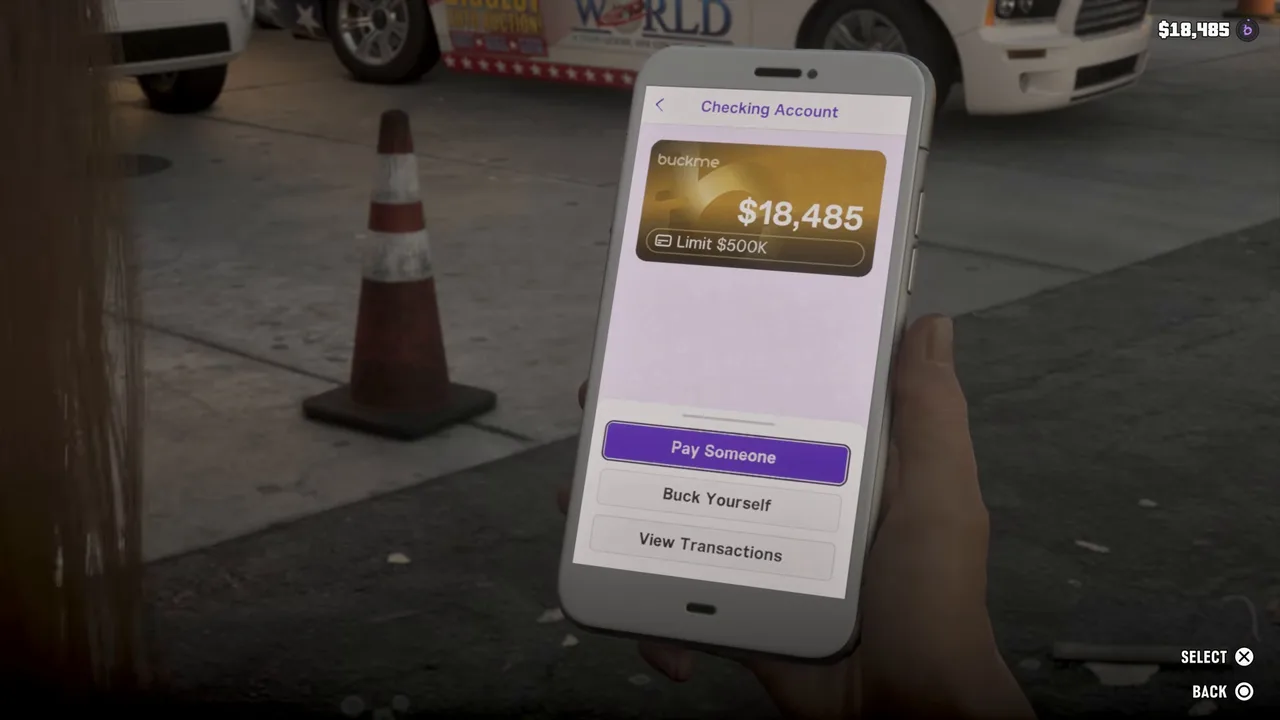 Later in the story: a gold card with a $500K limit, with $66,472 in Family Savings. Footage: Trophygamers.
The goals and perks, as the mission database lists them:
| Goal | Limit listed | Perk |
|---|---|---|
| $5,000 | $15,000 | None |
| $10,000 | $100,000 | 20% off RydeMe rides |
| $100,000 | $500,000 | 20% off garages |
| $500,000 | $2,000,000 | 10% off liveries |
| $1,000,000 and $2,000,000 | $2,000,000 | Late-game goals |
The screens suggest how to read the limit column. Below $5,000 saved, the limit is $15,000 (GameRiot’s ATM, Trophy Tom and MrDalekJD). Trophygamers’ gold card shows $500K with $66,472 saved, on the way to the $100,000 goal. Both fit one reading: the limit listed beside a goal is the limit you have while saving towards it. If that’s right, reaching $5,000 lifts checking to $100,000 straight away. We haven’t seen that screen yet, so treat it as likely rather than certain.
Later the account climbs further. In Trophygamers’ Chapter 4 footage the card is black and marked Premium, with $100,000 in Family Savings and $400,000 to the next goal. BuckMe messages that he’s been approved for its Black checking account and that $20,000 in interest has been paid into Family Savings. The mission database says the Premium upgrade comes automatically at the start of Chapter 4, whatever you’ve saved.
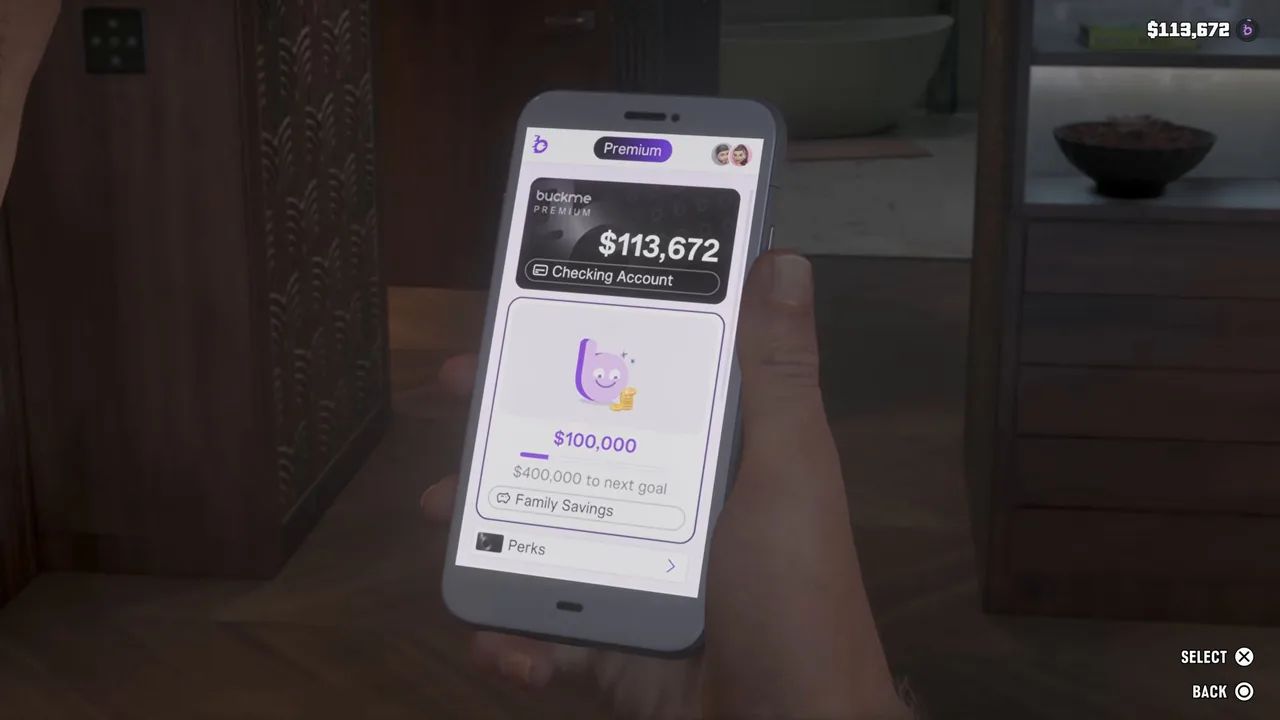 The black Premium card, much later in the story. Footage: Trophygamers.
The Chapter 1 trap
The real reason to do Save for the Future early: at the end of Chapter 1, Recalibration and Tourist Trap take your pocket cash, Jason’s house and the floorboard stash with it. Family Savings is the one balance that comes through. Have at least $5,000 in it before you start Recalibration.
Rewards
- Deposit Cash Into BuckMe: no payout, but cash in the bank stays put when you die or get busted, and anything over $1,000 in shops comes out of BuckMe.
- Save for the Future: the $5,000 goal message, a new goal, and (going by the screens above) a higher checking limit. Perks start at the $10,000 goal with 20% off RydeMe.
- No trophy for either.
Tips
- Bank before anything risky. Missions, robberies and police chases can all cost you your pocket cash. The ATM by the fireworks store is a short ride from Jason’s door.
- Raise the amount before pressing Buck Yourself. It starts at $100, and the maximum stops at your goal.
- Keep spending money in checking. Family Savings is one-way; leave enough for guns, armour and repairs.
- Don’t use the stash as your bank. It’s safe from death, but it goes with the house at the end of Chapter 1.
- Check the ATM Finder when you’re somewhere new. It’s quicker than scanning the map key for Cash Deposits.
Related guides
- Previous: Buck Me (#15), which sets up the account, and Down to Earth (#16). Next in the story: Day Release (#19). See all GTA 6 missions.
- GTA 6 money guide: the fastest early cash, and where it goes
- GTA 6 beginner tips: what to do with your first few thousand dollars
- Recalibration: the end of Chapter 1, where savings are all you keep
- Pay the Cellerica Fee: BuckMe’s Payment Requests, later in the story
- Interactive map: every ATM in Leonida
Frequently Asked Questions
How do you complete Deposit Cash Into BuckMe in GTA 6?
Walk up to any ATM after finishing Buck Me, pick Deposit, choose an amount and confirm. The BuckMe app's ATM Finder sets a route to the nearest machine; the closest to Jason's house is in the wall of the strip mall by The Inked Mermaid tattoo parlour.
Can you deposit money from your phone in GTA 6?
No. The BuckMe app moves money between your checking account and Family Savings and pays people, but cash only goes in at a physical ATM. Before Buck Me, ATMs turn you away with a message that you need a bank account.
How do you finish Save for the Future?
Open BuckMe, pick Family Savings, set an amount and press Buck Yourself, then confirm. The first goal is $5,000. The task stays on your list after that, because each goal you hit sets a bigger one.
What happens when you reach the $5,000 Family Savings goal?
BuckMe sends a congratulations message, Jason texts Lucia, and a new, bigger goal appears. The money is safe for good: it survives death, arrest and the Chapter 1 reset, and goals raise your checking limit and add perks.
Why does Buck Yourself stop below my full balance?
The amount seems to top out at what's left to your current goal. GameRiot had $6,593 in checking but the maximum was $4,900, exactly what took his savings to $5,000. Move the rest after the next goal appears.
Can you take money out of Family Savings?
No. The app warns you before every transfer that the money can't be withdrawn. Keep enough in checking or your pocket for guns, armour and repairs.
Sources & Credits
Researched from these videos and official material, among others. Screenshots credit the creator whose footage they come from.
- GTA 6 Gameplay Walkthrough Part 6 - FIND DONNIE PACKAGE & DOWN TO EARTH · GameRiot
- GTA 6 Gameplay Walkthrough Full Chapter 1: Just Like Paradise (No Commentary) · Perfect Score
- GTA 6 ULTIMATE BEGINNERS GUIDE! 32 Tips You NEED to Know (Don't Make These Mistakes) · MrDalekJD
- GTA 6 - Unlock Key Cloner - Steal Zorrusso for Randy - Walkthrough Part 74 · Trophygamers
- GTA 6 - Pool Day - Walkthrough Part 84 · Trophygamers
- GTA 6 - CHAPTER 2! Playing GTA 6 for the First Time · TGG
- GTA 6 - New Look, How Do I Look, Behind On Payments (Chapter 2) - Full Walkthrough Gameplay (GTA VI) · LaazrGaming
- GTA 6 Weapon Customization - Everything You Need To Know · JoblessGarrett
- GTA 6 - Buck Me (Set Up Bank Account) - Full Walkthrough · Trophy Tom
- GTA 6 - Ride or Die - Meet Dre’Quan - Walkthrough Part 68 · Trophygamers
- GTA 6 - Buddy - Full Quest Walkthrough · WoW Quests
- How to Get The Pfister Growler For Randy's Wish List in GTA 6 · MonkeyKingHero
- Deposit Cash Into BuckMe (GTA 6 mission) · gtabase
- Save for the Future (GTA 6 mission) · gtabase