Jump to your step
Pay Abe’s Fee: quick facts
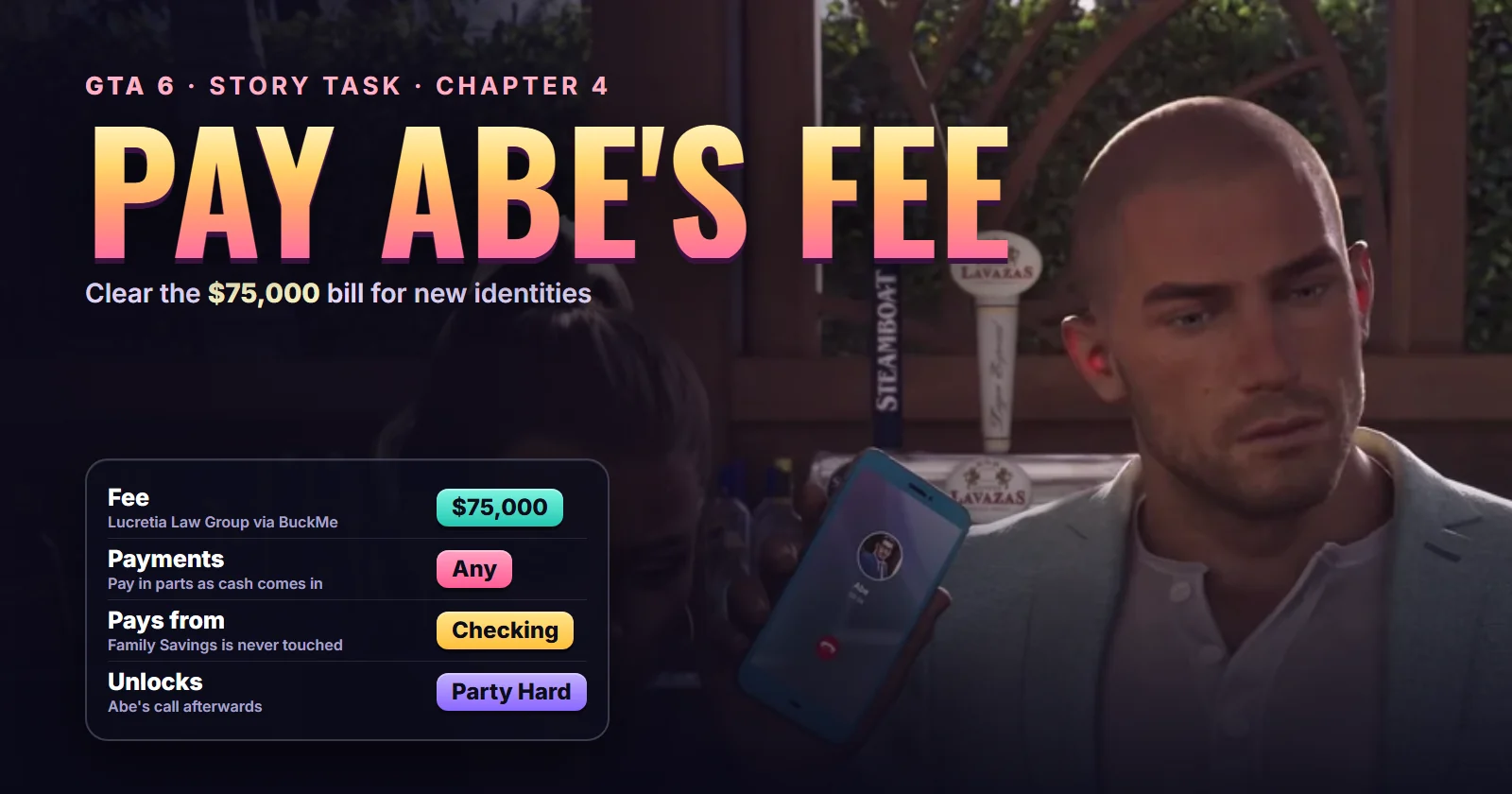
| Mission | Pay Abe’s Fee, #86 in the story list (the Chapter 4 one; a second Pay Abe’s Fee, #120, comes in Chapter 5) |
| Chapter | Chapter 4 |
| You play | Jason in the run we followed. The task card carries no “Jason only” or “Lucia only” tag |
| Given by | Abe Gonzalez, Jason and Lucia’s lawyer, through the Lucretia Law Group |
| Where it starts | Anywhere. A BuckMe payment request arrives a few minutes after Abe’s call; there’s no blip |
| Unlocks after | Party Hard (#84), with Lawyer Up (#82) before it |
| Cost | $75,000 from BuckMe checking, in one go or in instalments |
| Length | A minute per payment; the real work is raising the money |
| Reward | No cash. Abe starts on real identities for the Walkers |
| Trophy | None |
| Required for 100% | Yes |
Mission briefing Which Pay Abe's Fee this is, how it unlocks, what the money buys and what this guide is based on. Contains spoilers.
Which Pay Abe’s Fee this is
GTA 6 has two story entries called Pay Abe’s Fee. This guide covers the first one, in Chapter 4 (#86 in the story list): the $75,000 Abe wants for turning Jason and Lucia’s hotel cover names into real papers. The second, in Chapter 5 (#120), is a later bill for later help and is not covered here.
How to unlock Pay Abe’s Fee
You meet Abe Gonzalez in Lawyer Up. He takes the couple on without a fee at first. Instead he wants a favour: the Megamundo security job that plays out in Party Hard.
The morning after Party Hard, Abe phones while Jason and Lucia sit at an outdoor bar. He teases them as the world’s worst bodyguards, then makes a new offer. They’re checked into the Y as Mr. and Mrs. Walker, and he can turn those names into real identities with passports and social security numbers. It isn’t cheap, he says, but it’s within their range, and his assistant Sandy will be in touch about the fee.
Sandy’s bill follows a few minutes later, as a payment request in the BuckMe app. That request is the mission.
Where it starts: nowhere in particular. You pay from the phone, so there’s no blip and no map marker to drive to. Abe’s office is the Lucretia Law Group downtown (Lawyer Up’s start on the live map; show Abe on the live map), but you don’t need to go there.
About this guide
No creator has a video of this mission on its own, so this guide follows it through Sirloin’s full Chapter 4 playthrough. Abe’s call comes about 1:37:00 in, the request arrives at 1:40:24, the pause map names the task Pay Abe’s Fee at 2:30:04, and the last payment goes through at 2:48:32. Trophygamers’ Party Hard video has the same call. His Company Cars and Photo/Shoot videos bracket the payment, which he made off camera.
Step 1: Take Abe’s call after Party Hard
Finish Party Hard. In Sirloin’s run the call comes in the scene after the mission, as Jason and Lucia sit at an outdoor bar. Abe hasn’t landed the Megamundo contract yet, because the offices are in no state to open, but he’s sure it’s coming.
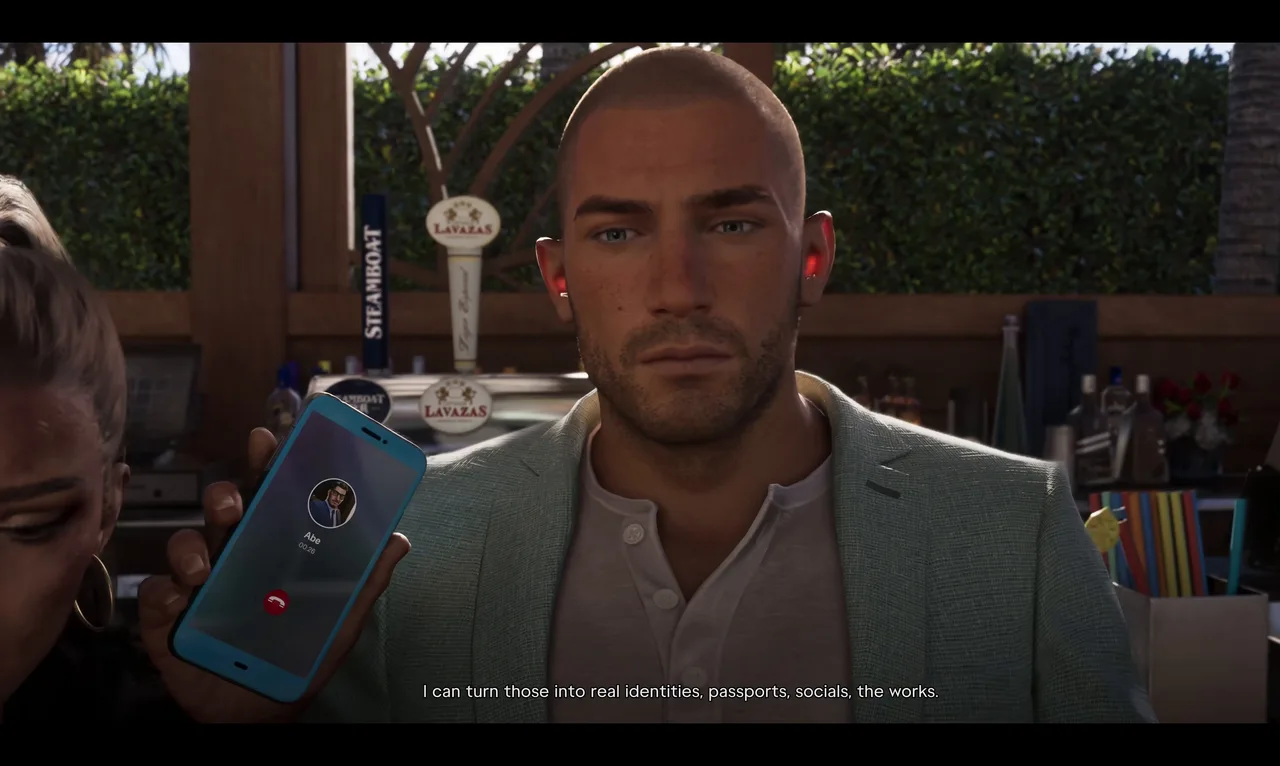 Abe’s offer: real identities for the Walkers. Footage: Sirloin.
Then he pitches the new service. Passports, social security numbers and, if they want, a child on paper for the Walkers. He doesn’t name a price on the phone. That comes from Sandy. There are no dialogue choices: just listen.
Step 2: Watch for the BuckMe payment request
Carry on with whatever you were doing. Sirloin finished a chat with the hotel’s valet supervisor, and as Jason got into his car Lucia told him to check his phone: Abe’s fee had come through, and it was a lot.
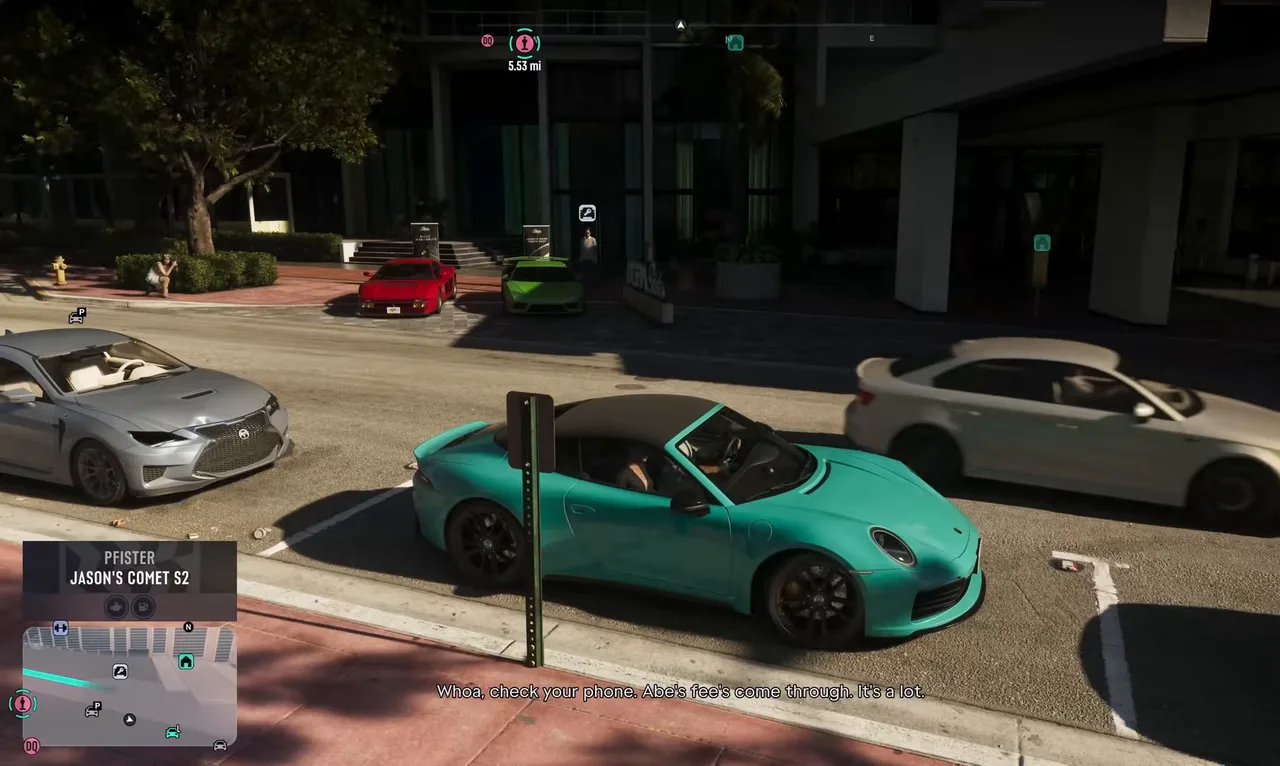 The request lands about three minutes after Abe’s call. Footage: Sirloin.
On the drive, Jason and Lucia argue about it. Jason calls it a catch and thinks Abe is squeezing them because he’s their only way out. Lucia’s answer is that they know how to earn it back: cars, jewellery stores, whatever it takes.
 Lucia’s plan for the bill: earn it back. Footage: Sirloin.
That’s the hint. $75,000 is more than most players hold in checking at this point, and you don’t have to pay it straight away. Sirloin played two more missions before he sent a cent.
Step 3: Read the task card on the pause map
Open the pause map’s Story tab. Pay Abe’s Fee sits at the top with the BuckMe icon, above the other Chapter 4 jobs. Its card spells out the deal: $75,000, in return for new identities as Mr. and Mrs. Walker, paid to the Lucretia Law Group via BuckMe.
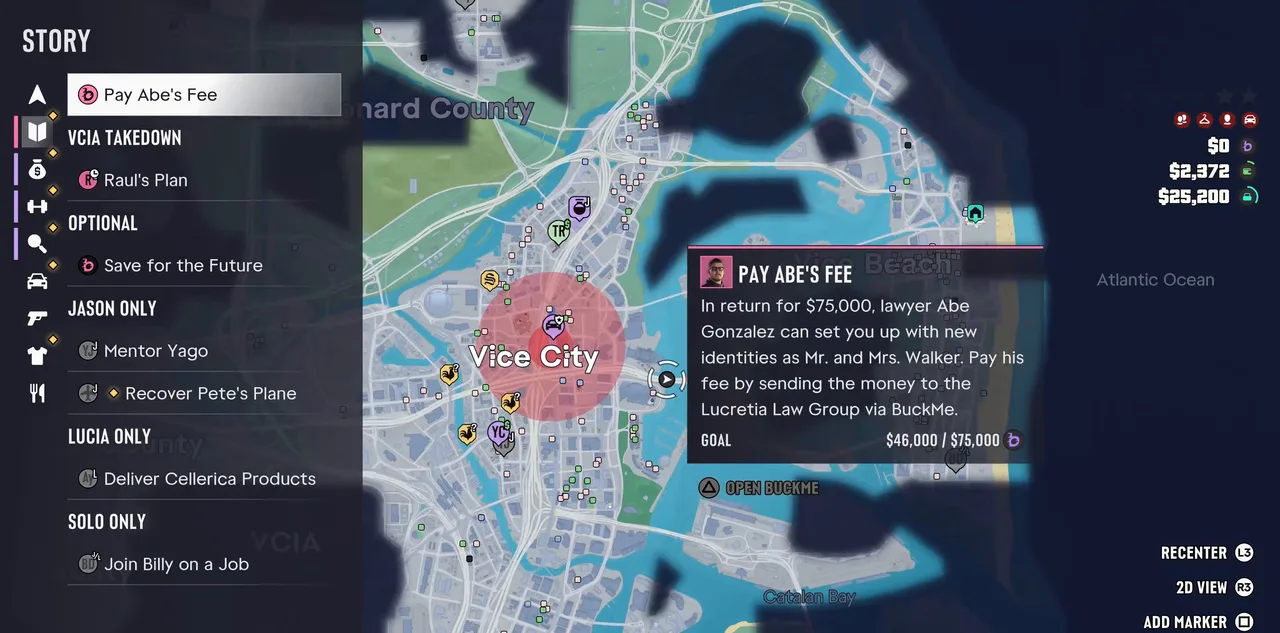 The task card, here after Sirloin’s first payment: $46,000 of $75,000. Footage: Sirloin.
The Goal line tracks what you’ve paid so far, and Open BuckMe under the card takes you straight to the app. The card has no “Jason only” tag, unlike Mentor Yago and Recover Pete’s Plane below it, so the payment probably works from either character’s phone. Every payment we saw was made as Jason.
Step 4: Get money into BuckMe checking
The request draws only on the Checking Account in BuckMe. Pocket cash, the stash at home and Family Savings don’t count, and money in Family Savings can never be taken back out. If you’re carrying cash, bank it at an ATM first. The money guide lists the quickest earners.
Job payouts that arrive by BuckMe go straight into checking, which is how Sirloin covered most of the bill. After Photo/Shoot, Dre’Quan bucked him $6,000, taking checking from $40,000 to $46,000.
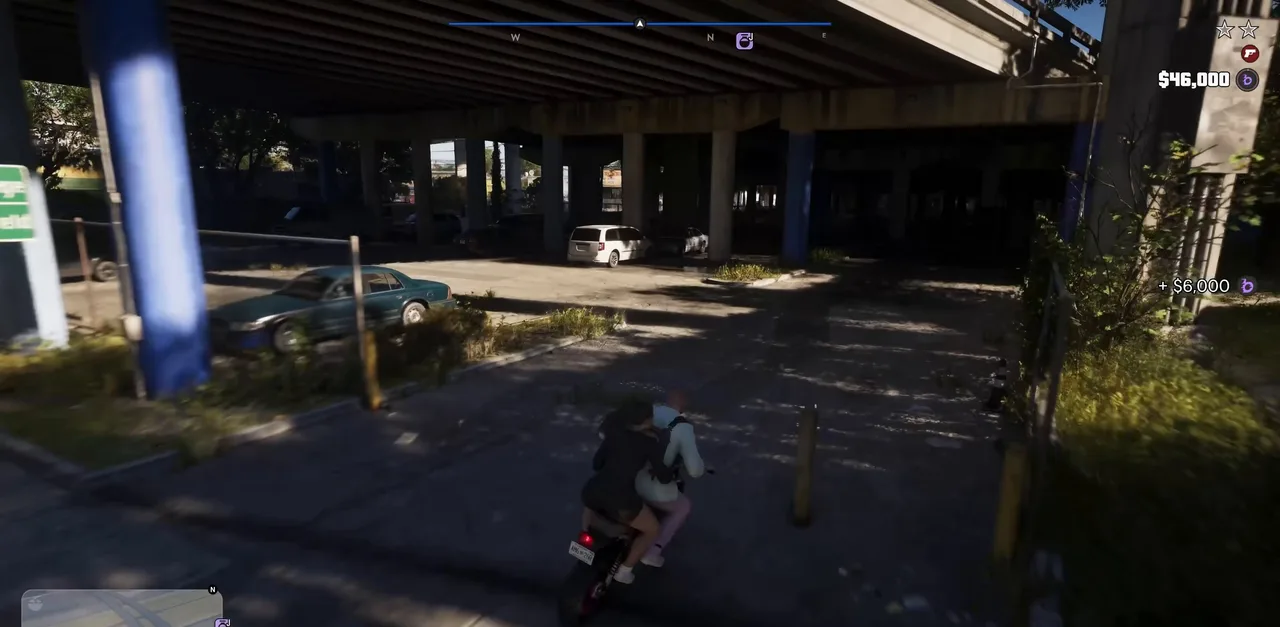 Dre’Quan’s $6,000 for the promo shoot takes checking to $46,000. Footage: Sirloin.
Step 5: Open BuckMe and select Payment Requests
Bring up the phone and open BuckMe. The home screen now has a Payment Requests strip at the top with a 1 beside it, above your checking card. Select it.
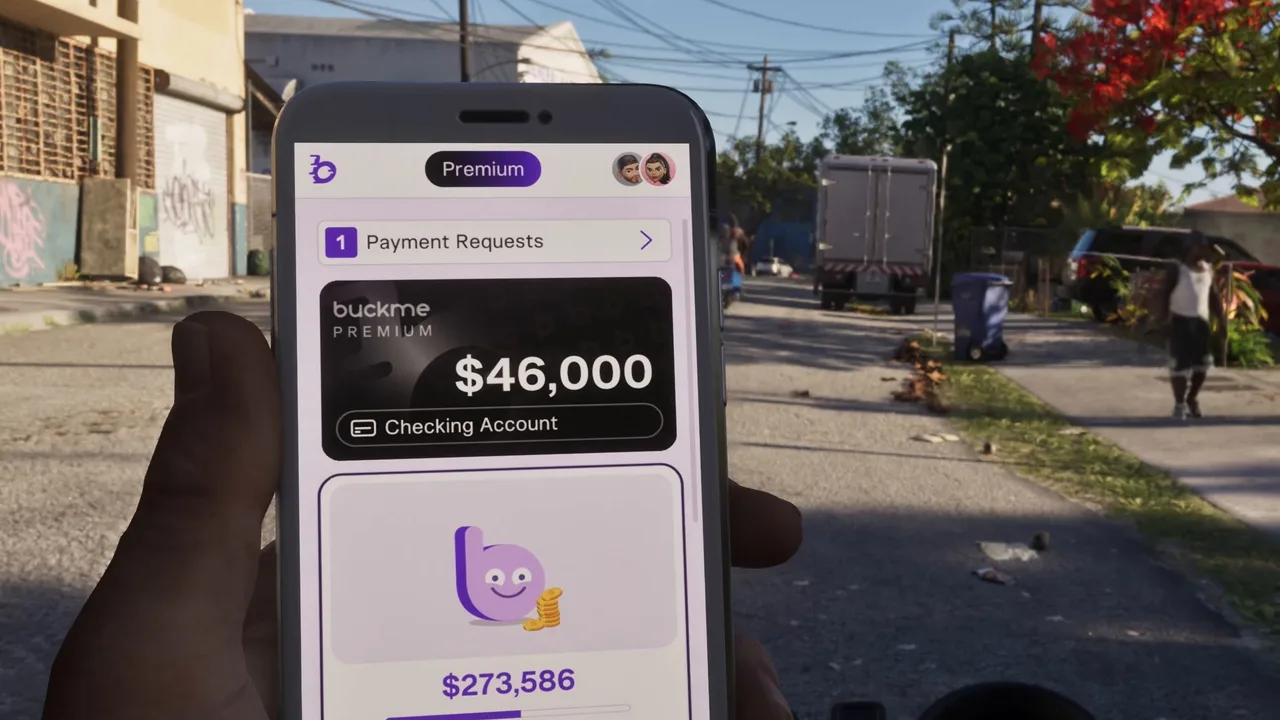 Payment Requests sits above the checking account card. Footage: Sirloin.
The request is from the Lucretia Law Group, labelled Mr. Gonzalez’s Fee. Its card shows how much is still owed and the running total, for example $29,000 left with $46,000 of $75,000 paid.
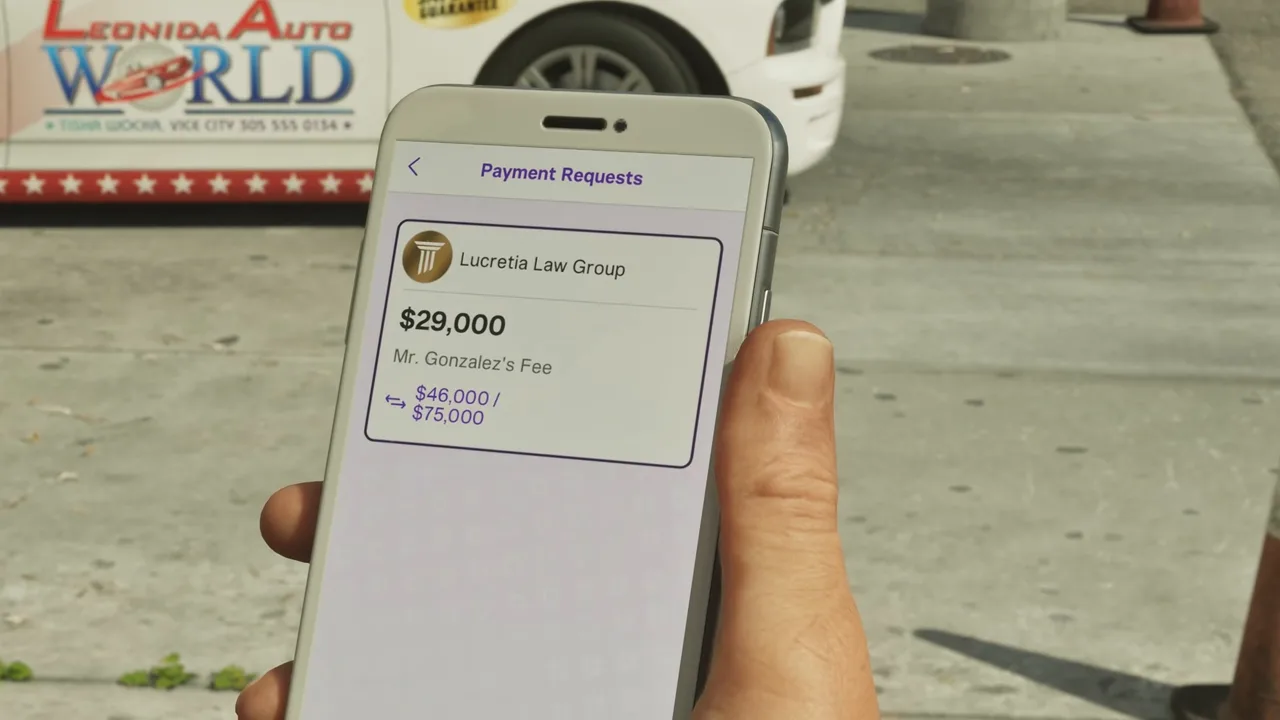 The request after one payment: $29,000 still to go. Footage: Sirloin.
Step 6: Press Buck ’Em to send what you can
Select the request. The Amount screen fills in the most you can send right now, marked Maximum: your whole checking balance, or the amount still owed if that’s less. It shows the money leaving the checking account for the Lucretia Law Group. Press Buck ’Em.
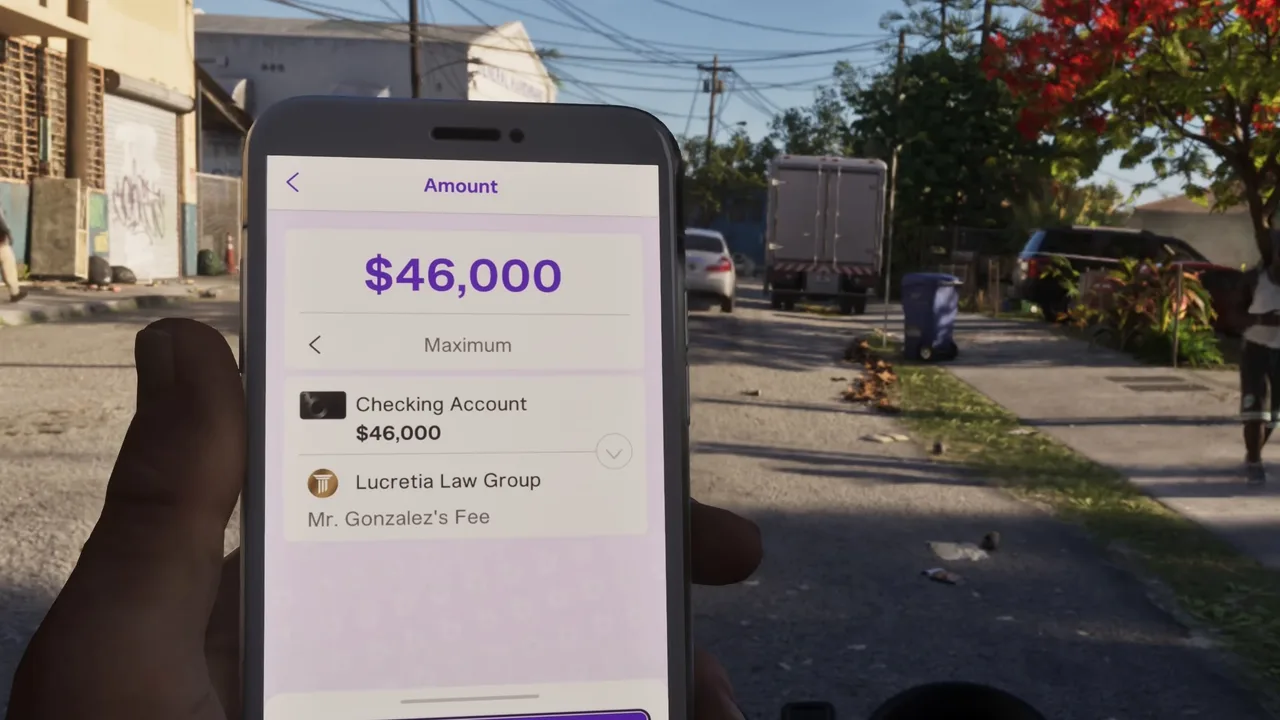 Sirloin’s first payment: all $46,000 in checking. Footage: Sirloin.
The money goes at once. A Transaction screen with the law firm’s gold pillar logo shows the amount, the HUD confirms it with a notice such as $46,000 → Lucretia Law Group, and the checking balance drops.
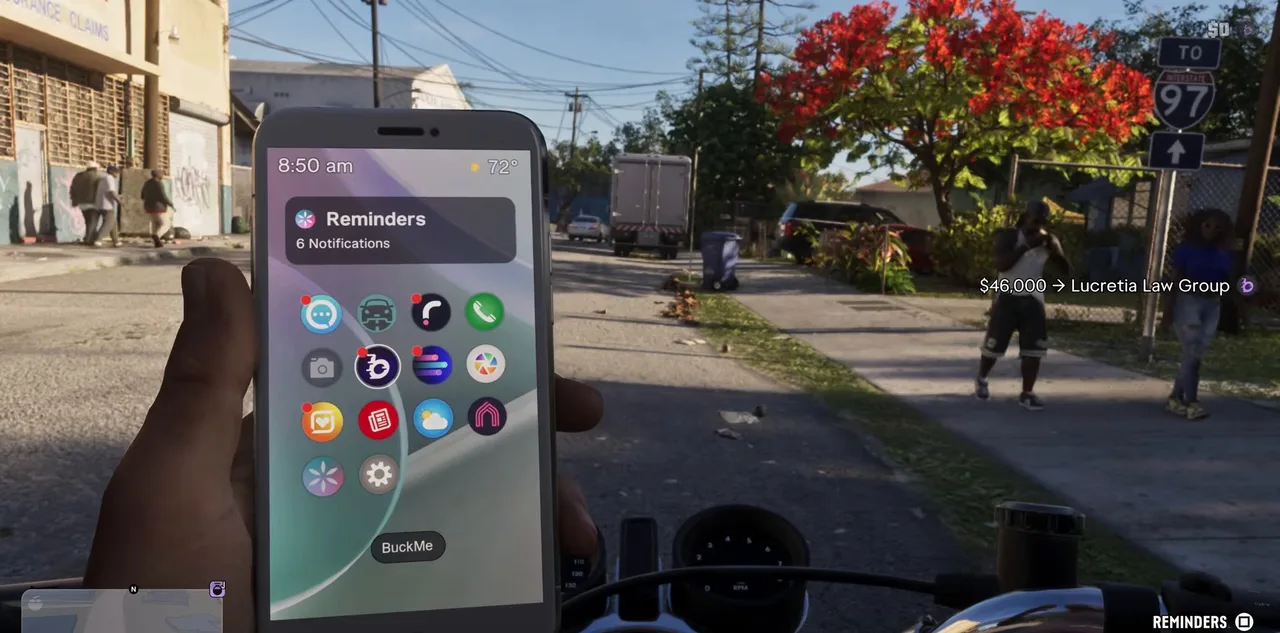 $46,000 sent. Checking is now empty. Footage: Sirloin.
The task stays open until the full $75,000 is in. Sirloin’s card read $46,000 / $75,000 after this first payment.
Step 7: Keep paying until the $75,000 is covered
Keep earning and repeat Steps 5 and 6 whenever money lands in checking. Sirloin needed two more payments.
His second came from Randy’s Wish List. Randy paid $16,640 for a delivered car plus a $10,000 condition bonus, so checking held $26,640.
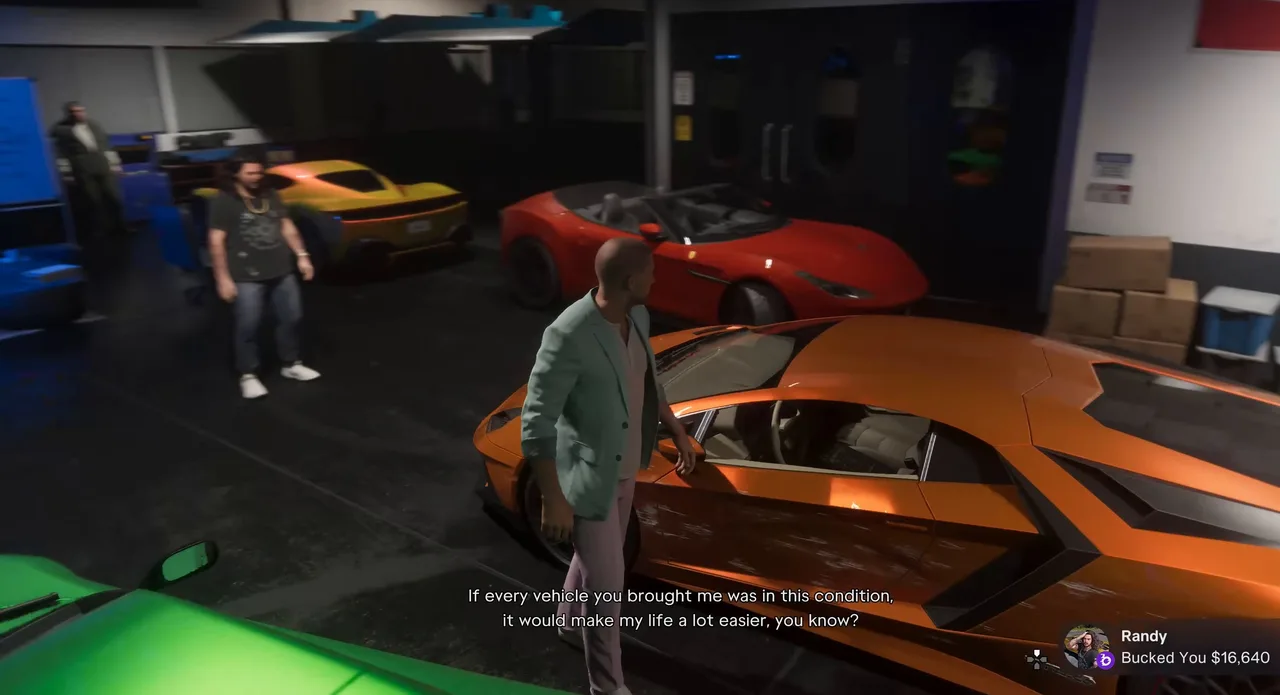 Randy’s payout for a clean wish-list car. Footage: Sirloin.
Sirloin sent the lot from the car park outside. The Transaction screen confirmed -$26,640 to the Lucretia Law Group.
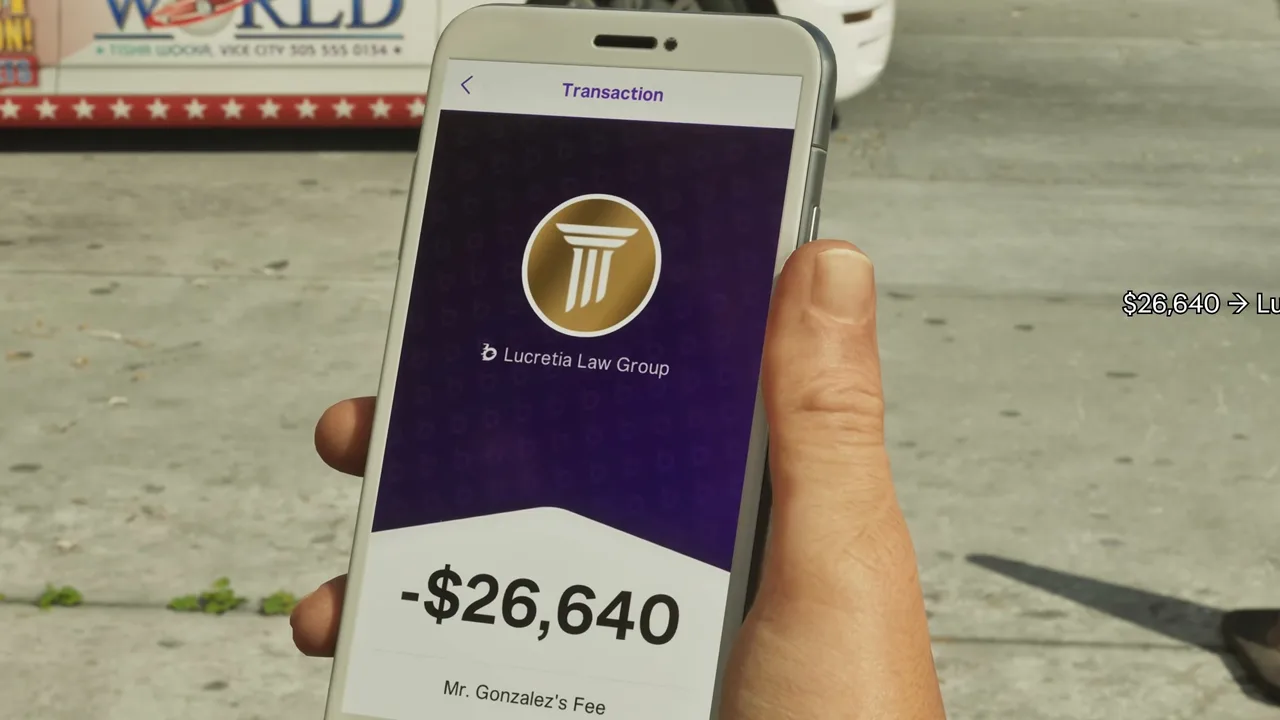 The second instalment, $26,640. Footage: Sirloin.
That left $2,360. A fence called Tyrone later bucked Jason $19,600 for a bag of goods. When Sirloin opened the request, the Amount screen offered only $2,360, because the request never takes more than you owe.
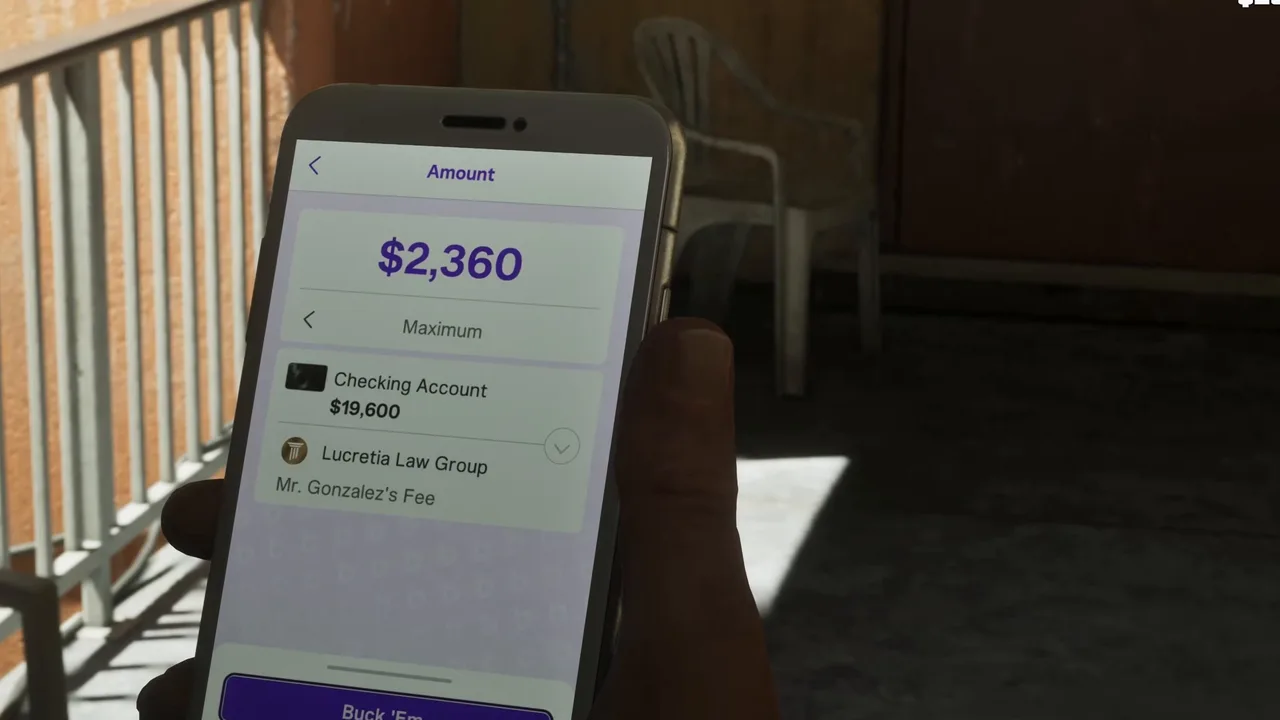 The last $2,360. The rest of the balance stays yours. Footage: Sirloin.
After Buck ’Em, the HUD showed $2,360 → Lucretia Law Group and checking dropped to $17,240. That’s the fee paid in full: $46,000 + $26,640 + $2,360 = $75,000.
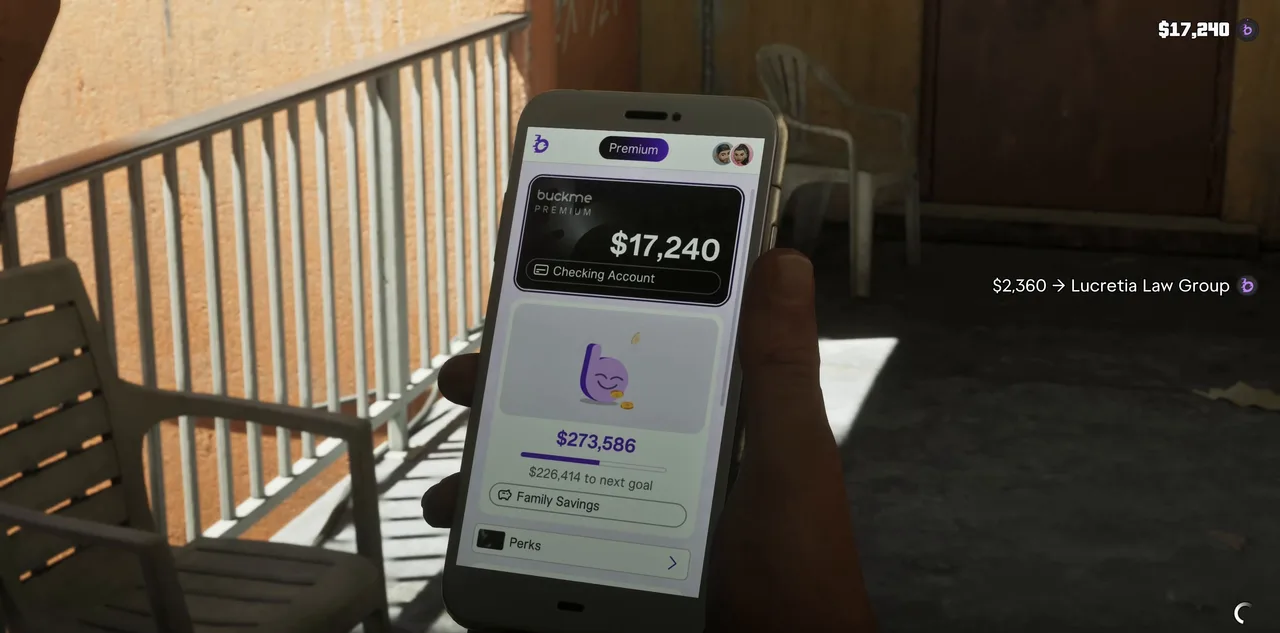 The final payment. $17,240 stays in checking. Footage: Sirloin.
There was no mission-passed card in Sirloin’s run. The sign that you’re done is the Story list: Pay Abe’s Fee is gone, and Raul’s Plan heads the list instead.
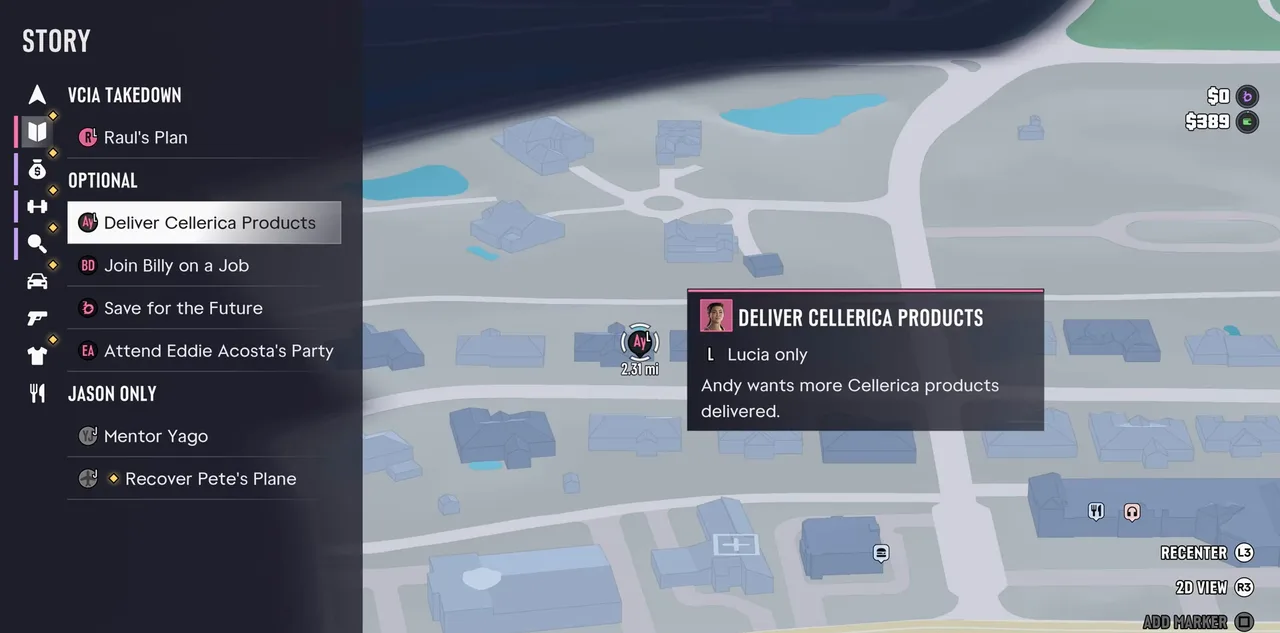 Two minutes after the last payment: the task is off the list. Footage: Sirloin.
What comes next: Lucia’s call to Raul
With the lawyer paid, Lucia is free for Raul’s next job. Back at the Y a few minutes later, Sirloin switched to her, and she rang Raul to say the lawyer’s fees were paid and she was ready for whatever he needed. Raul told her to come by for the brief, alone. That leads into the VCIA Takedown strand that starts with Raul’s Plan (Making Gainz, #88, is next by number).
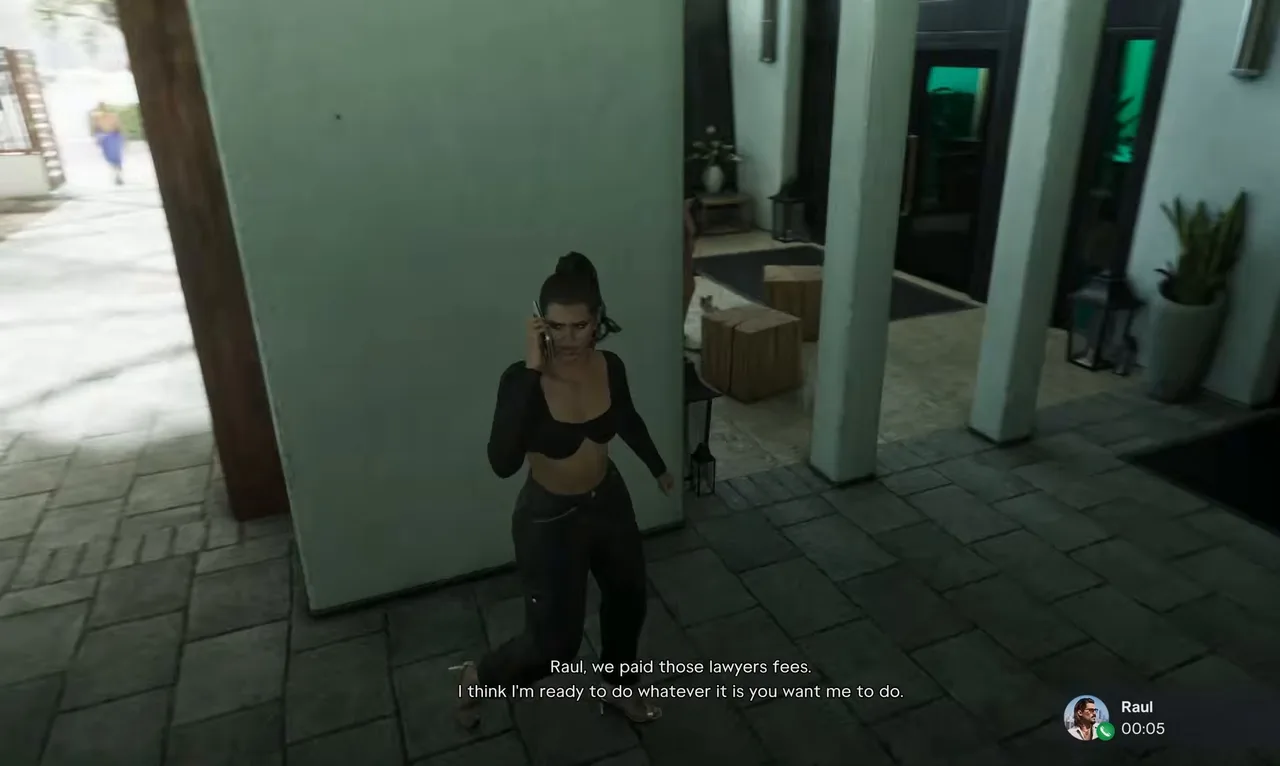 Lucia tells Raul the lawyer’s paid. Footage: Sirloin.
Earlier, Raul had told Lucia that Abe would want paying for good work and that his job would take care of the money. In Sirloin’s run she paid before that job even started. The identities come through later in Chapter 4: hours further into Sirloin’s run, Abe’s passports and new names come up as good news.
Rewards
- No cash. You only pay out: $75,000 from BuckMe checking.
- New identities. The point of the fee: Abe’s work on real papers for the Walkers, which pays off later in Chapter 4.
- No trophy.
- 100% completion. It’s a mandatory story entry, and so is the Chapter 5 Pay Abe’s Fee.
- Family Savings is safe. The request never touches savings. Sirloin’s stayed at $273,586 throughout.
Tips
- Don’t sweep checking into Family Savings yet. Savings can’t be spent, and the fee can’t use it. Sirloin moved money into savings only after the last instalment.
- Pay as you go. You don’t need $75,000 at once. Send each payout as it lands; the card’s Goal line keeps count.
- Use the map shortcut. If the request has scrolled out of sight, the task card’s Open BuckMe prompt takes you straight there.
- Look for big payouts. Randy’s wish-list cars (with the condition bonus), fences and Dre’Quan’s job covered most of Sirloin’s bill. Randy’s Wish List explains the car deliveries.
- Pull over first. You can pay at the wheel, as Sirloin did on a motorbike, but it’s a few screens deep.
Related guides
- Before this: Lawyer Up (#82), where you meet Abe, then Party Hard (#84) and Heavy Lifting (#85). Next: Photo/Shoot (#87) and Making Gainz (#88). See all GTA 6 missions.
- Buck Me: how the BuckMe app, checking and Family Savings work.
- Other BuckMe payments: Pay the Cellerica Fee (Andy’s $5,000) and Send Money to Lorena (Lucia’s aunt).
- GTA 6 money guide: ways to raise the $75,000.
- GTA 6 characters: Jason, Lucia, Raul and the rest of the cast.
Frequently Asked Questions
How much is Abe's fee in GTA 6?
$75,000 for the Chapter 4 payment. The task card says that in return Abe Gonzalez can turn the Mr. and Mrs. Walker cover names into real identities, and the BuckMe request comes from the Lucretia Law Group as Mr. Gonzalez's Fee.
How do you pay Abe's fee in GTA 6?
Open BuckMe on the phone, select Payment Requests at the top, pick the Lucretia Law Group request and press Buck 'Em. The money comes out of your BuckMe checking account, not your pocket cash or Family Savings.
Can you pay Abe's fee in instalments?
Yes. The request takes whatever is in checking, up to what you still owe, and the task card tracks your progress. Sirloin paid it in three goes: $46,000, $26,640 and a final $2,360.
Where do you get $75,000 for Abe in GTA 6?
From Chapter 4 payouts. In Sirloin's run, Dre'Quan's $6,000 after Photo/Shoot, $26,640 from Randy for a wish-list car and $19,600 from the fence Tyrone covered what his checking account didn't.
What happens after you pay Abe's fee?
The task drops off the Story list and the identity paperwork goes ahead. In Sirloin's run Lucia rang Raul straight after to say the lawyer was paid and she was ready for his job. There is a second Pay Abe's Fee in Chapter 5.
Is Pay Abe's Fee required for 100%?
Yes. Both Pay Abe's Fee entries, the Chapter 4 one (#86) and the Chapter 5 one (#120), are mandatory story missions.
Sources & Credits
Researched from these videos and official material, among others. Screenshots credit the creator whose footage they come from.
- GTA 6 - Full Chapter 4 Walkthrough (No Commentary) 4K · Sirloin
- GTA 6 - Party Hard - Work Personal Security - Walkthrough Part 89 · Trophygamers
- GTA 6 - Company Cars - Speak to the Concierge - Walkthrough Part 88 · Trophygamers
- GTA 6 - Photo/Shoot - Shoot a Promo - Walkthrough Part 90 · Trophygamers
- Pay Abe's Fee (GTA 6 mission) · gtabase